


This is how you can download the server tool from Steam and us it to create salt / hash for a password you'd like to set on your dedicated server in ten easy steps.
Note: There is a third party website that offers to hash/salt Space Engineers passwords for you, however this is the most reliable method, and you will only need to copy paste two lines of code from one config file to another.
Step 1. Open your Steam library and ensure the following filters are applied, as in the screenshot below:
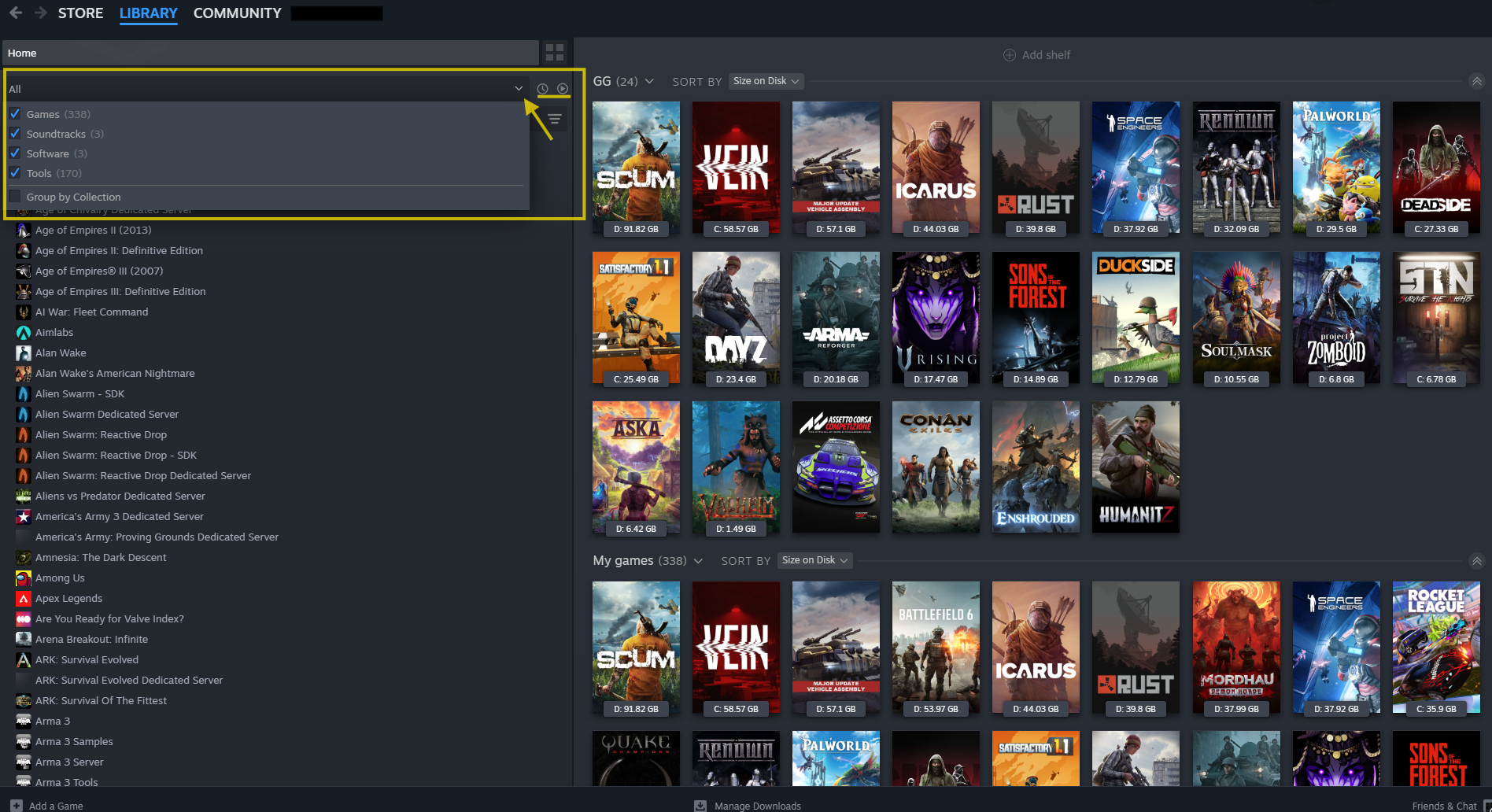
Check all the boxes in the first section ALL (Games, Soundtracks, Software, Tools)
Do not check Group by collection and do not sort by recent and ready to play (the two icons on the right of the filter)
This will ensure all your Steam library is displayed and in alphabetical order.
Step 2. Search for the app Space Engineers Dedicated Server and download it. It will need roughly 7.11 GB of free space to install.
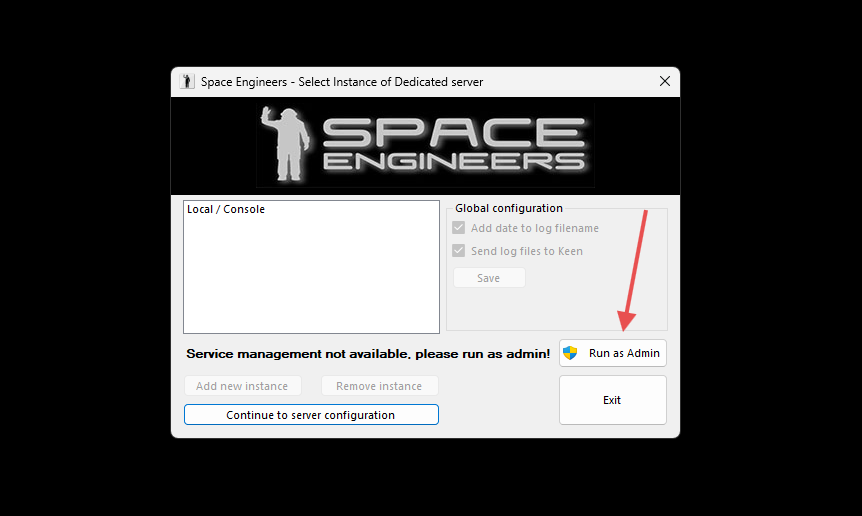
Step 3. Launch the app and you will see the following screen, click Run as admin and confirm yes to the Windows security prompt.
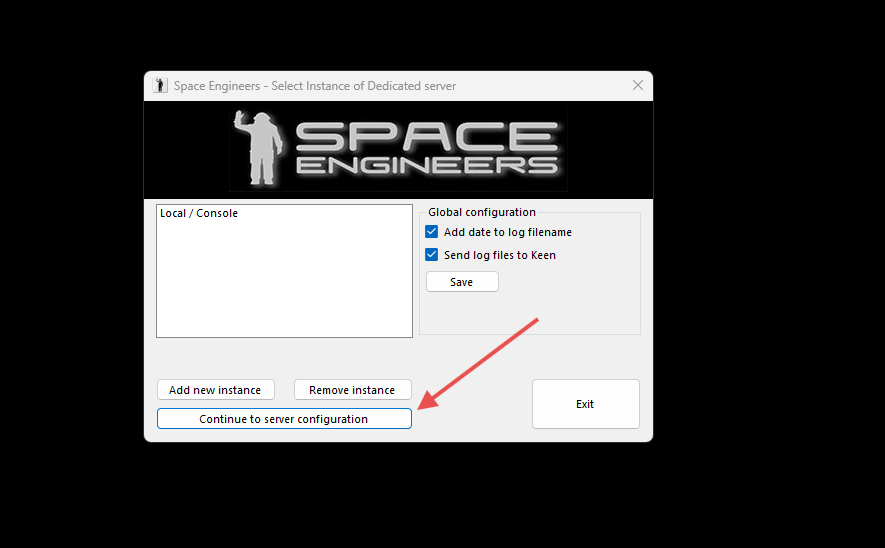
Step 4. The app will now relaunch, and you can click on Continue to server configuration
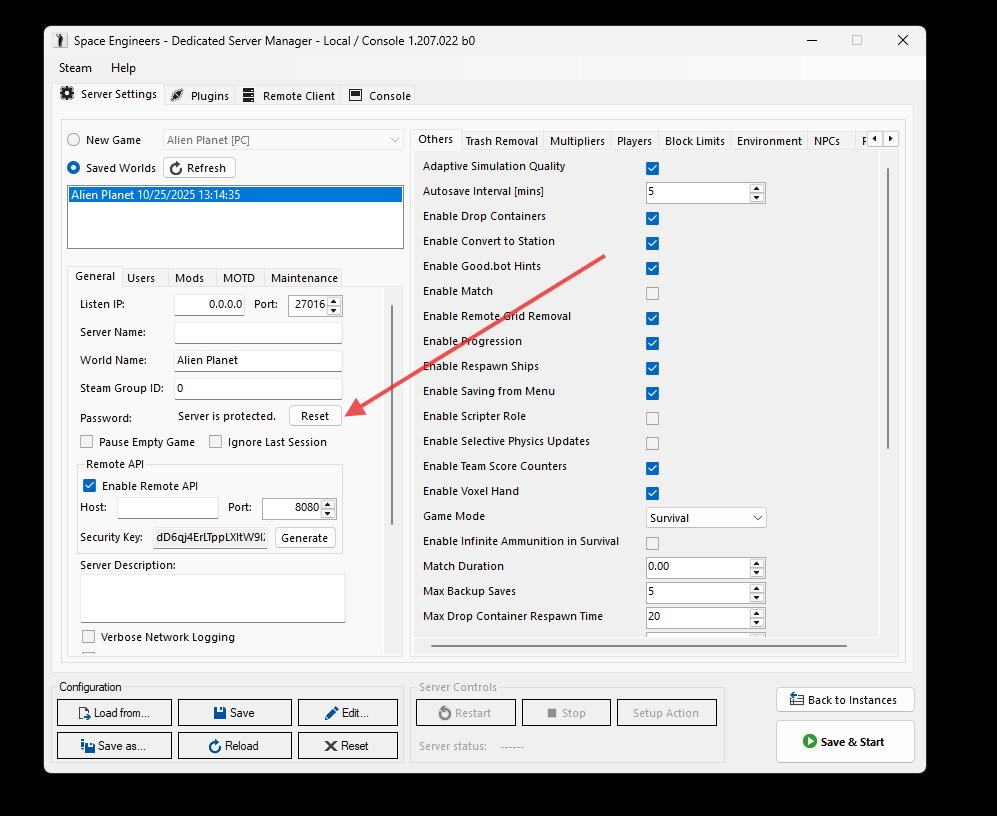
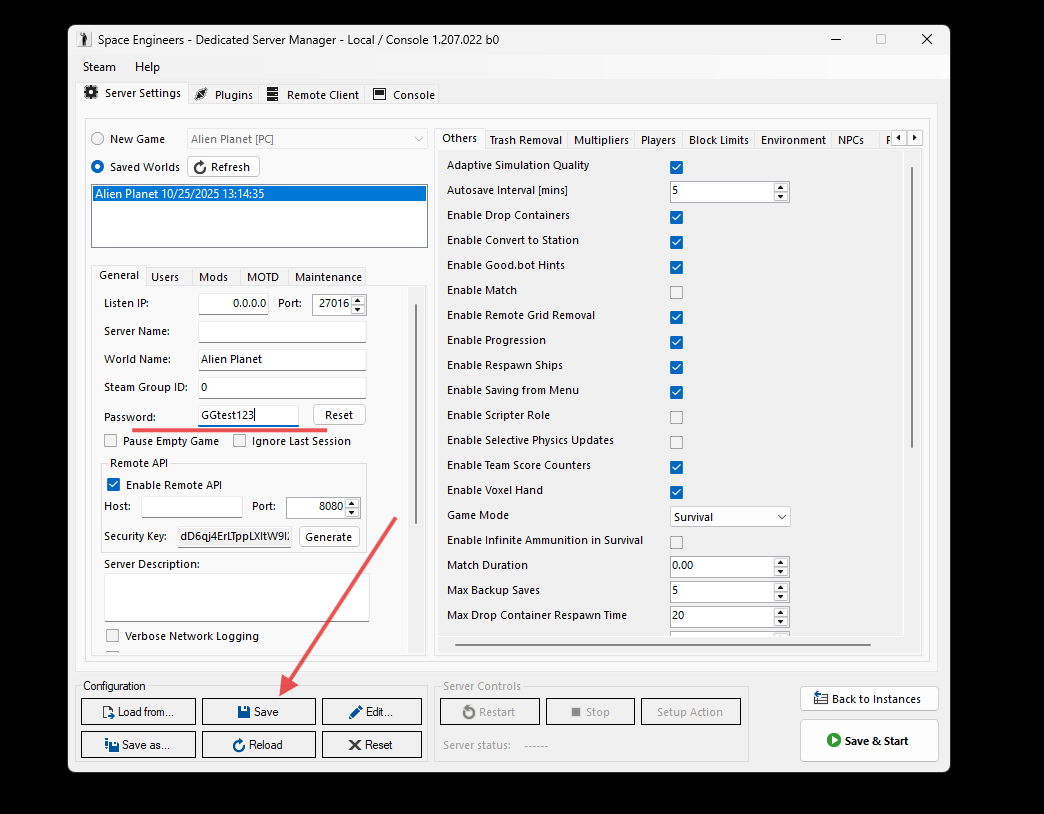
Step 5. Once the server tool loads, click the Reset button right next to password. This will open the field where you can set the desired password. In this example, we used GGtest123
Step 6. Click the Save button on the lower left side of the server tool.
Step 7. Now, click the Edit button right next to the Save button. This will open the notepad app with the two lines of code we need.
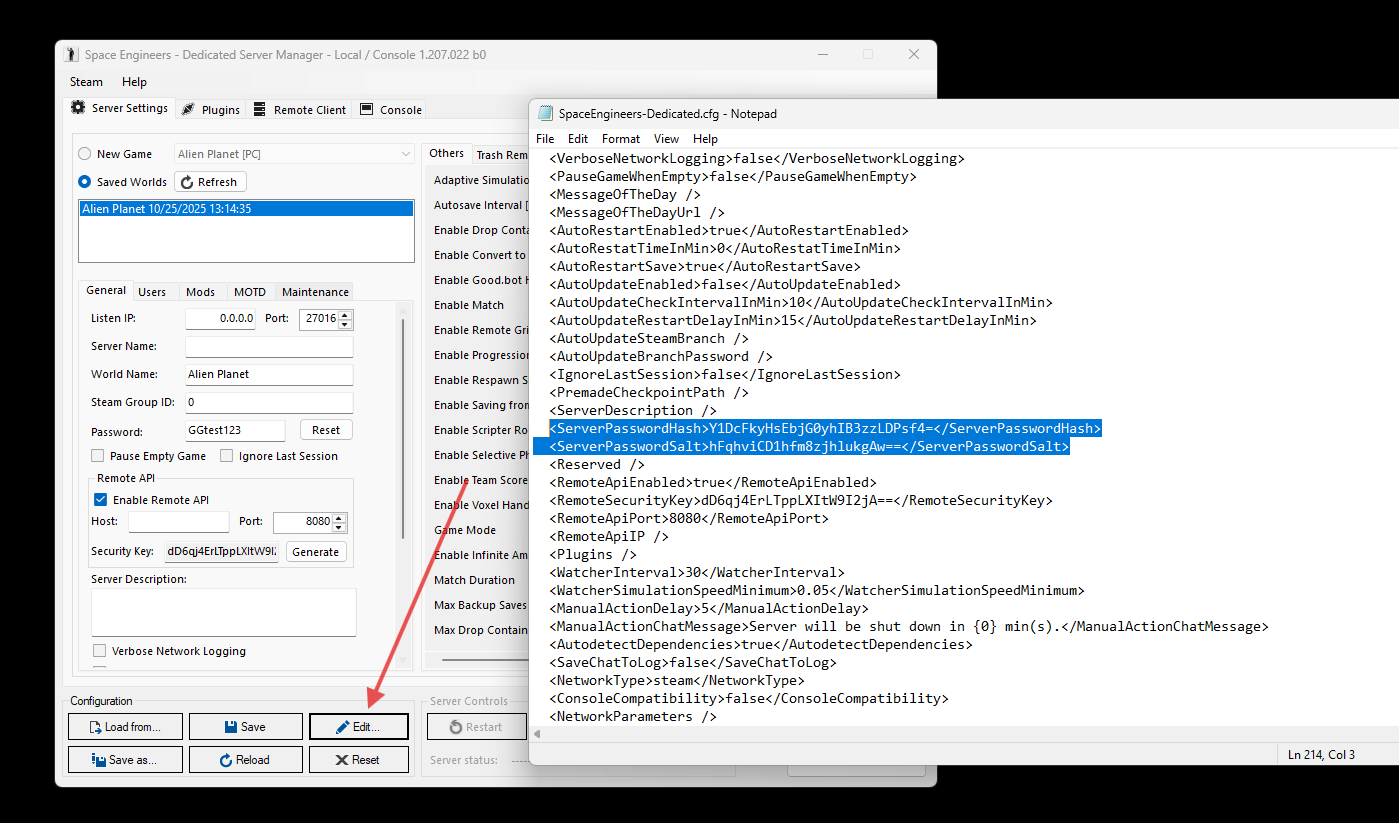
Step 8. Scroll down until you locate the ServerPasswordHash and ServerPasswordSalt values. Select and copy the two lines. For the password used in this example GGtest123, the code is as follows:
<ServerPasswordHash>Y1DcFkyHsEbjG0yhIB3zzLDPsf4=</ServerPasswordHash><ServerPasswordSalt>hFqhviCD1hfm8zjhlukgAw==</ServerPasswordSalt>
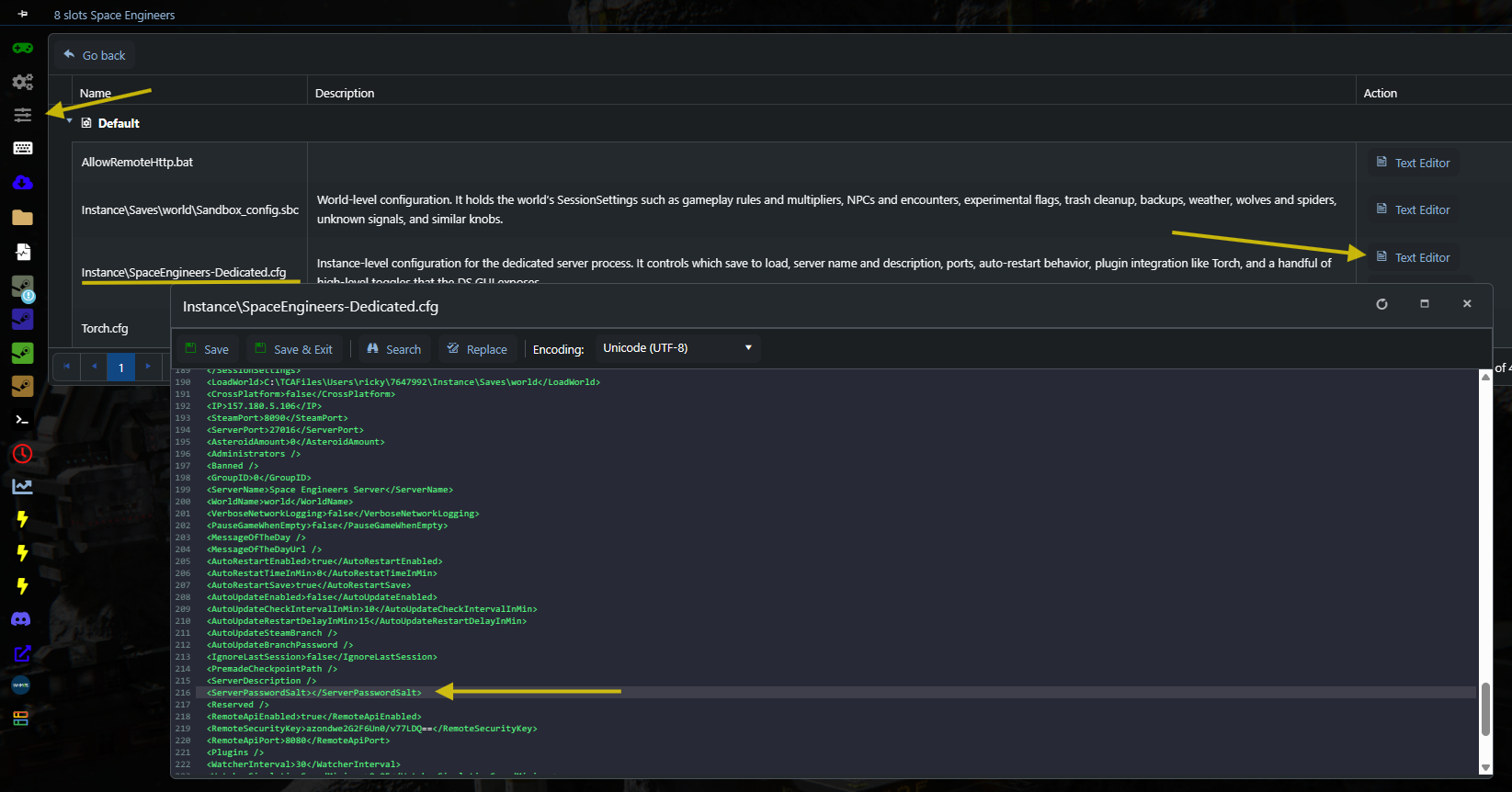
Step 9. In the Game Panel, under Configuration files, click the text editor for the SpaceEngineers-dedicated.cfg file and locate the following line
<ServerPasswordSalt></ServerPasswordSalt>
Select it and replace it by pasting the two lines with the Hash and Salt passwords.
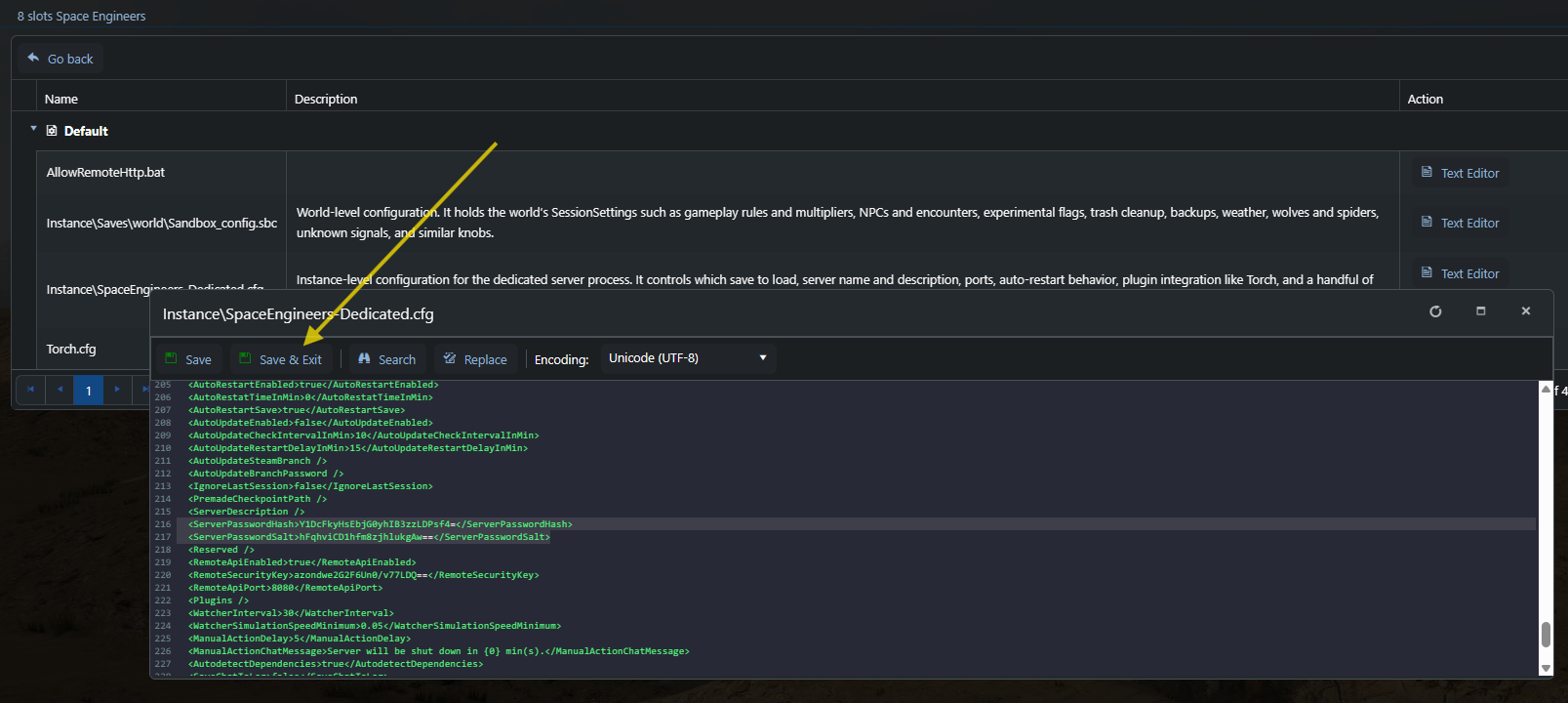
Step 10. Save the change using the button on the top left of the text editor and start up the server. It will now be password protected.
If you need any assistance with your GG server, please feel free to put in a support ticket and we will quickly respond to it and assist you.
Need a Space Engineers server?
GG Host provides high performance, low latency servers and reliable support so you and your crew can build, explore, and innovate across the galaxy. Order your Space Engineers server now: https://www.gghost.games/store/space-engineers