


If you want full control over your 7 Days to Die Dedicated Server, the first step is becoming an administrator. Once you’re an admin, you can run commands, manage players, and handle server maintenance quickly and safely. To set yourself as an admin, you'll need to edit the serveradmincustom.xml file and add your SteamID64.
Set Up an Admin on Your 7DTD Server Using the Serveradmincustom.xml File
-
Log in to your GG Host Game Panel.
-
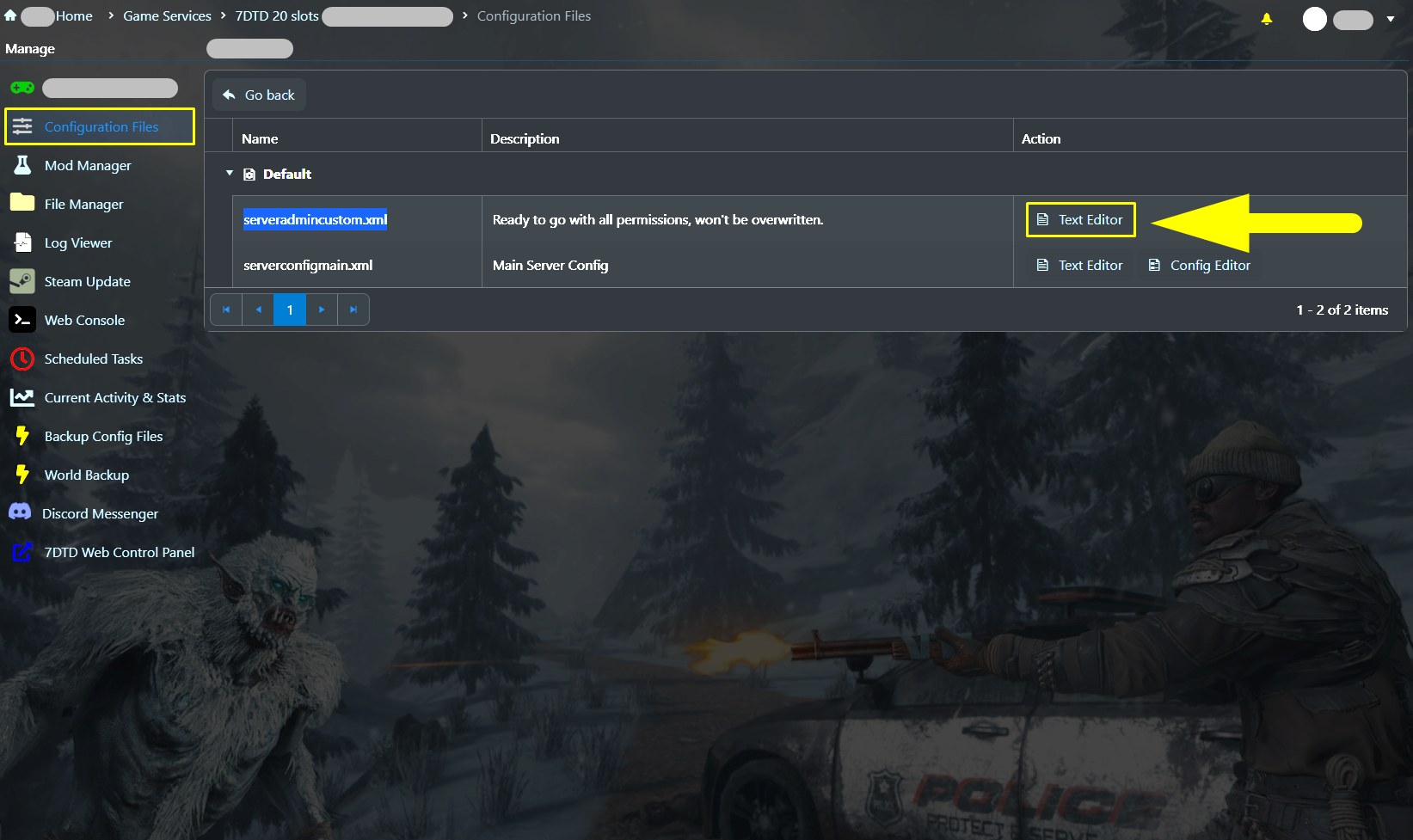
Go to Configuration Files.
-
Open the file serveradmincustom.xml using the Text Editor.
-
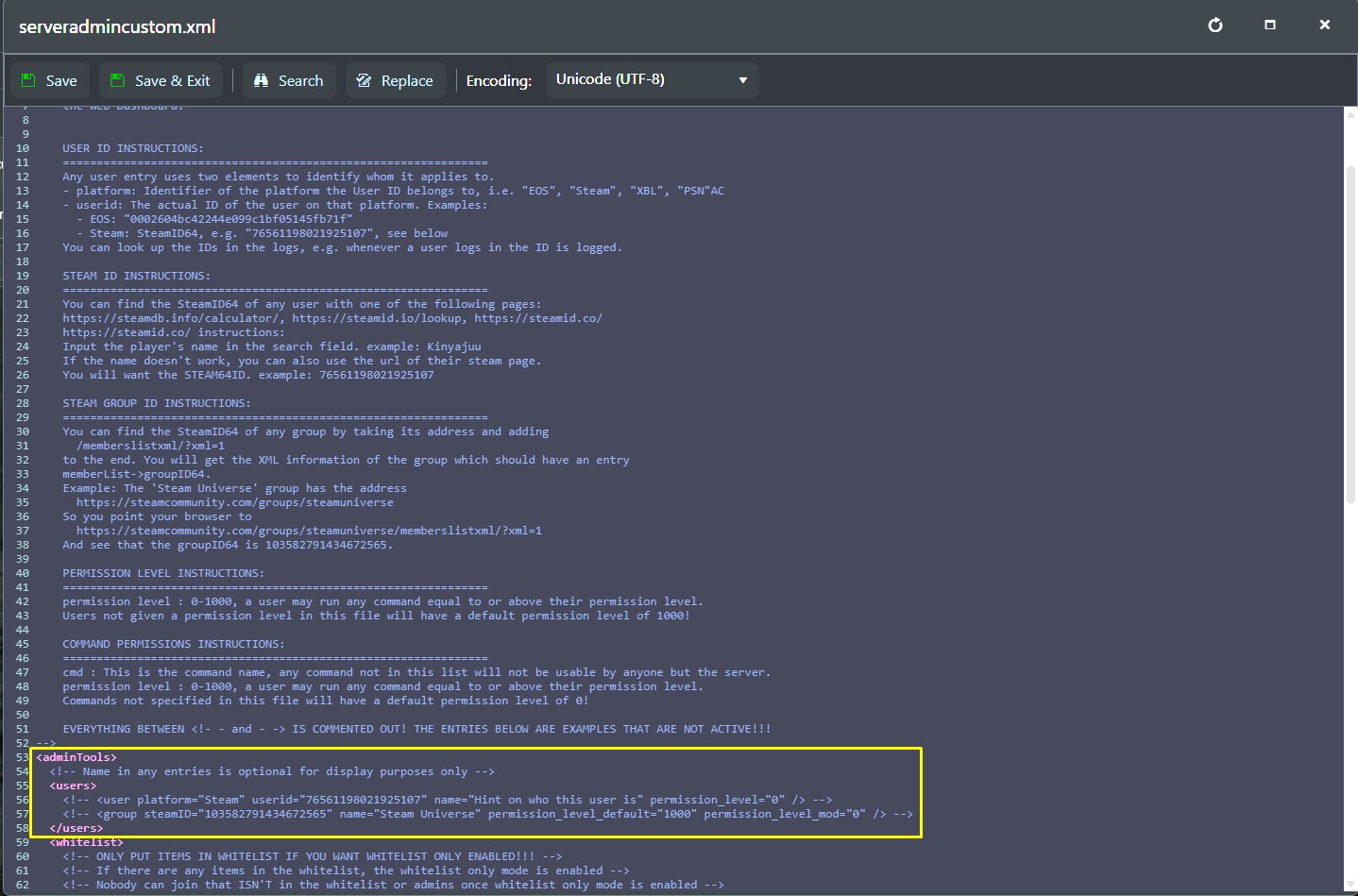
Inside the file, look for the adminTools section and then the users tag.
-
Find an example user line commented out (with
<!--and-->), duplicate that line (copying and pasting it under that line), and replace the example ID with your SteamID64. (You can find your SteamID64 using like steamid.io.)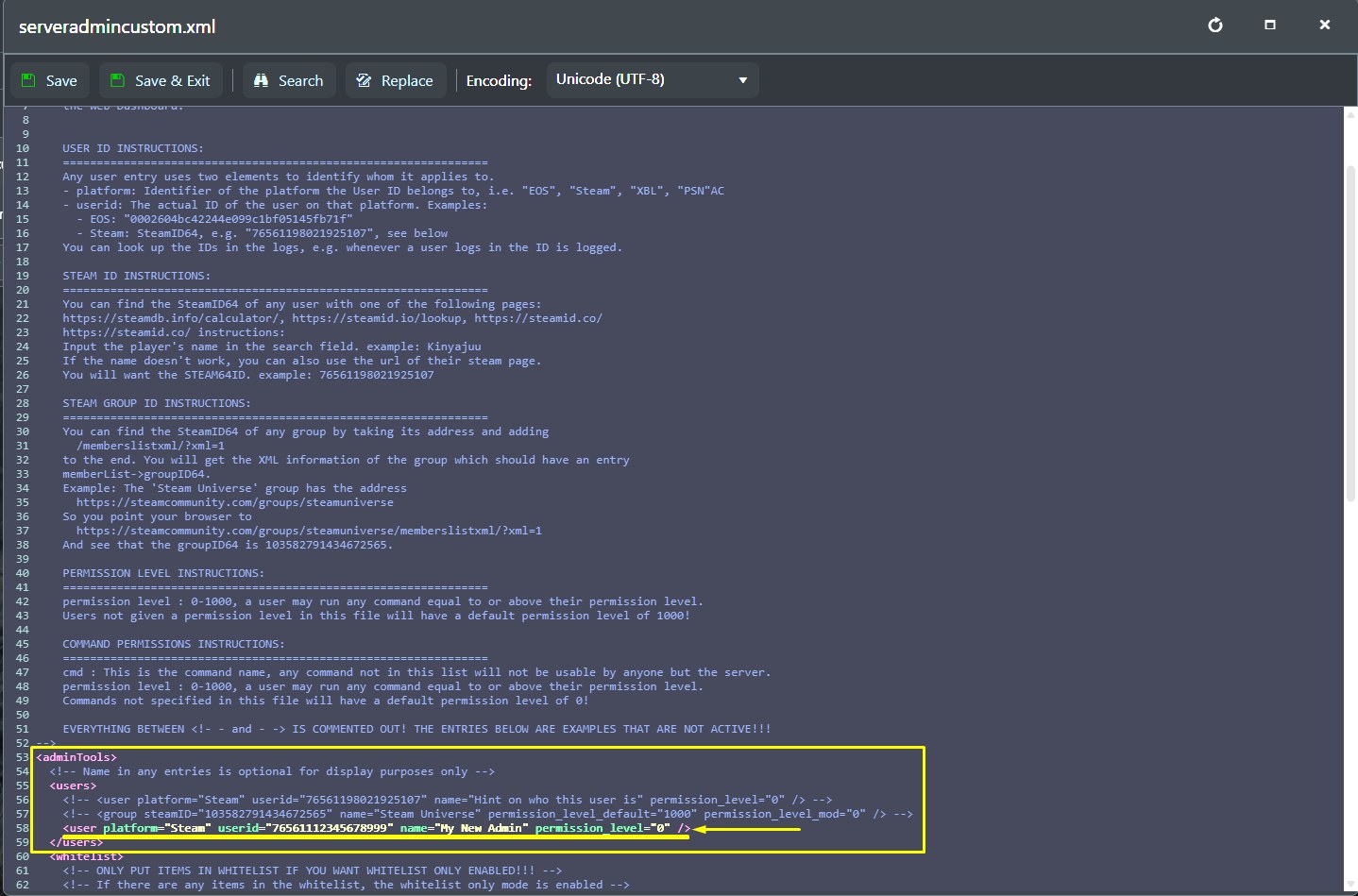
Here’s the part of the code you need to edit by adding your information:
<!-- <user platform="Steam" userid="76561198021925107" name="Hint on who this user is" permission_level="0" /> -->Remove the
<!--and the-->, insert your SteamID64, set some name so you can remember who this user is, set the permission level, and you're good to go. -
Save the file and restart your server so the changes take effect.
Once the server is back online, you’ll have admin permissions right away. You can enable Debug Mode by using the dm command in the in-game console, and you’ll be able to use the DM tools immediately.
If you ever need to add more admins, just duplicate the line that contains the current admin’s Steam ID and replace the details with the new admin’s information.
How Permission Levels Work in 7DTD
Permission levels range from 0 to 1000, and a user can run any command that is equal to or above their assigned level.
Any user who isn’t assigned a permission level in this file will automatically have the default level of 1000.
Need a 7 Days to Die server?
GG Host offers high performance, low latency servers and reliable support so your community can survive, build, and thrive. Order your 7 Days to Die server now: https://www.gghost.games/store/7-days-to-die