



About Rust
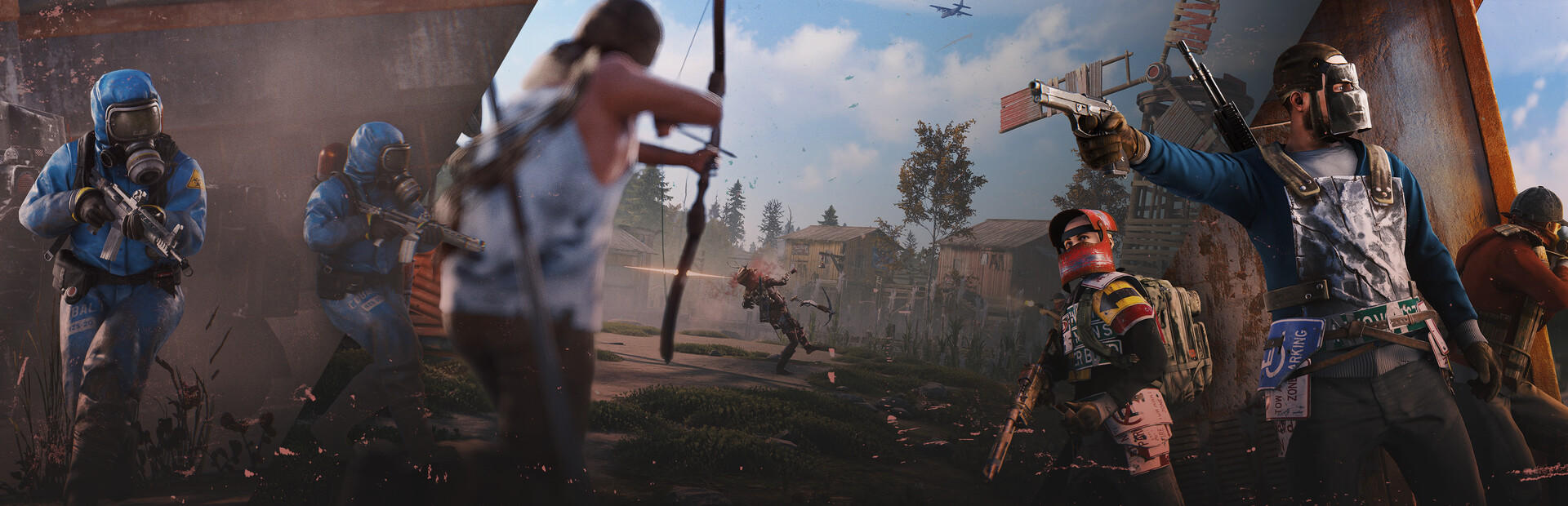
Rust is Facepunch's multiplayer survival game: you wake up on a procedurally generated island with a rock and a torch, and everything after that is up to you and the other players. Bases get built, raided and rebuilt, and once a month Facepunch wipes every server clean and the race starts again.
A GG Host Rust server gives you your own island on that schedule. You choose the map size and seed, set the rules, install Oxide plugins if you want them, and wipe when you decide to, from a control panel that knows when force wipe day is. Servers are priced on RAM alone, because that is what a Rust server actually consumes, and you can raise it whenever your population or your plugin list grows.
Powering Games at Studio Scale
We work directly with game studios to deliver reliable, production-ready server hosting.
Official Studio Partners




Rust (PC)
|
|
Rust Server Rental |
Why GG Host Servers for Rust?
If you're looking for your own Rust server, GG Host is an excellent choice, here's why:
High-Performance Rust Game Servers
Experience optimal gaming with our high-performance Rust game servers. Our dedicated resources and top-tier hardware, including the latest CPUs and NVMe SSD storage, ensure smooth, lag-free gameplay even under heavy loads. Elevate your gaming experience with Rust servers designed for speed and reliability.
Advanced DDoS Protection
Protect your Rust game server with our advanced DDoS protection. We utilize cutting-edge technology to detect and mitigate attacks, ensuring your Rust server remains online and secure. Play with peace of mind knowing your Rust server is shielded from disruptive DDoS threats, providing uninterrupted gameplay for you and your friends.
Instant Rust Server Setup
Get into the game quickly with our instant server setup. Our automated deployment system ensures that your Rust server is ready to play within minutes of your purchase. Skip the wait and dive straight into your favorite games, enjoying the convenience of a Rust server that's ready when you are.
User-Friendly Control Panel
Manage your Rust game server effortlessly with our user-friendly control panel. Designed with both beginners and advanced users in mind, our control panel allows you to configure settings, install mods, and monitor performance with ease. Take full control of your gaming environment with intuitive tools that simplify Rust server management.
24/7 Expert Support
Our dedicated support team is available around the clock to assist you with any Rust server issues. Whether you need help with setup, configuration, or troubleshooting, our Rust experts are here to ensure you have a smooth and enjoyable gaming experience. Enjoy peace of mind with support that's always ready to help, day or night.
Worldwide Server Locations
Enjoy low-latency gaming with our globally distributed server locations. No matter where you or your friends are located, our servers are positioned to provide optimal performance and minimal lag. Experience a seamless gaming experience with servers strategically placed around the world.
Automatic Game and Server Updates
Stay current with the latest game and server software updates automatically. Our system ensures your Rust server is always running the newest versions, providing you with the latest features and security enhancements. Focus on playing while we handle the updates, keeping your server optimized and secure.
Secure FTP/SFTP Access
Easily manage your Rust server files with secure FTP/SFTP access. Gain full control over your server environment by uploading, modifying, and managing files directly. Whether you're installing mods or configuring settings, our secure file access ensures you can customize your server to suit your needs.
Rust Servers Priced by the Gigabyte
A Rust server is a memory problem before it is anything else. Facepunch's own requirement for a dedicated server is 12 GB of free RAM, with a note that a 6,000 map will use more. So we price Rust on RAM and nothing else: pick the amount you need, and change it later.
Two things decide how much memory your server eats: the size of the map and the number of people on it. A small map for a group of friends sits comfortably at the low end. A 4,000 map with a full population, or anything running a long plugin list, wants the 12 GB Facepunch recommends and often more. Large maps with 100 or more players online are where the top of the slider earns its keep.
Our advice is the same one we put on the order page: start at 12 GB. If your server fills up or you add plugins, raise it from your client area. If you are running a small vanilla server for a handful of people, 8 GB is the floor and it will do. We measured a full week on our own Rust servers to back that up: how much RAM your Rust server needs, by map size and population.
Player slots are not something you pay for. Every Rust server comes with 50 slots as the starting point, you can set it higher yourself, and the RAM is the bill.
Force Wipe Day, Handled From the Panel
Facepunch ships the monthly Rust update on the first Thursday of every month, and it forces a map wipe on every server in the game. The update changes the network protocol, so a server that has not updated cannot be joined, and the old map save does not carry over. There is no opting out; every Rust host lives by the same Thursday.
On a GG Host server you deal with it two ways. The Wipe Server button in your control panel wipes the map only, or the map and everyone's blueprints, and can hand the server a fresh seed at the same time. Or you schedule the Wipe Day task once: it checks the date, does nothing on ordinary days, and on the first Thursday of the month it stops the server, wipes with the options you chose, and starts it again. Run the Steam update from the panel, or schedule that too, and your server is back on the new build the same evening.
Between force wipes you set your own rhythm. Weekly and fortnightly wipe servers use the same button with a different schedule, and a list of your own seeds lets each wipe land on a map you have already approved.
One thing our wipe deliberately leaves alone is the file Rust uses to identify your server to the Rust+ companion app. Our map and blueprint wipes do not touch it, so a map wipe leaves your players' phones paired; a blueprint wipe clears player data including pairing tokens, so players pair again after one. The full wipe-day guide walks through every option and the dates.
Oxide Plugins From the Mod Manager
Most modded Rust runs on Oxide, distributed through uMod. On a GG Host server you install it from the Mod Manager in your control panel with one click, and the Install uMod plugins page lets you browse the uMod library of over 1,500 plugins and install any of them with one more click, no FTP needed. You can still drop plugin files into the oxide plugins folder through the file manager or FTP if you prefer.
Oxide needs a matching build after every monthly Rust update, which is the part that catches people out on wipe day. Our panel re-applies the current Oxide build automatically after each Steam update on a server that has it installed, so a modded server does not come back up vanilla by surprise. If you run the staging branch to test next month's update early, the staging build of Oxide is fetched instead.
Carbon, the newer framework that loads Oxide plugins unchanged, is not in the mod manager. It installs the same way any set of files does, through the file manager or FTP, and it updates itself. Installing Oxide and plugins, step by step.
Rust Server Facts, Without the Upsell
| Memory | Facepunch's requirement is 12 GB free RAM for a dedicated server, more for a 6,000 map. Our slider starts at 8 GB and you raise it whenever you need to. What our servers actually use, measured over a week. |
|---|---|
| Map size and seed | Rust's recommended world size runs from 1,000 to 6,000. Both the size and the seed are fields in your config editor, so a new map is a save and a restart, not a ticket. |
| Wipes | Map wipe, blueprint wipe, new seed and a custom file list, from one button or on a schedule that knows when force wipe day is. |
| Admin access | Web RCON is switched on out of the box, with the password in your config editor. Owner and moderator rights are granted with Rust's own ownerid and moderatorid commands from the console. Settings, server.cfg and RCON explained. |
| Rust+ | The companion app's port is set up for you, so players can pair their phones to your server from day one. |
| Branches | Public by default. Switch to the staging branch from the panel to try the next update before it lands. |
| Files and backups | Full file manager and FTP access to the server folder, and backups kept off the server. |
| Setup time | Minutes. The server is deployed automatically after checkout with the Rust dedicated server installed and validated. |
Self-hosting Rust means a machine with a spare 12 GB, a public IP, port forwarding, and someone awake on the first Thursday of the month. Renting means the Thursday is a scheduled task. What a Rust dedicated server actually needs.
Frequently Asked Questions
How much RAM does a Rust server need?
Facepunch's requirement for a dedicated server is 12 GB of free RAM, and they note that a 6,000 map will use more. A small vanilla map for a few friends runs on less, which is why our slider starts at 8 GB. Start at 12 GB unless you know your server is small, and raise it if the population or the plugin list grows. On our own servers the map, not the player count, sets the floor: a 4,000 map sits near 8 GB right after a restart and climbs to about 10.5 GB over a day. The full week of readings, and where 8, 12 and 16 GB fit.
When is the Rust force wipe?
The first Thursday of every month, when Facepunch releases the monthly update. The update changes the network protocol, so every server has to update and wipe its map to accept players again. On a GG Host server you can schedule the wipe and the update so they happen without you. Dates and the step-by-step are in our wipe-day guide.
What is the difference between a map wipe and a blueprint wipe?
A map wipe deletes the world save: buildings, loot, and everything on the map go, but players keep the blueprints they have learned. A blueprint wipe also deletes the player data, so everyone starts research from scratch. The monthly force wipe only requires the map wipe; whether you wipe blueprints too is your call, and our Wipe Server button offers both.
Can I change the map size or the seed?
Yes. Both are fields in your config editor. Rust's recommended world size is 1,000 to 6,000, and a bigger map needs more memory. You can also give the wipe task a list of seeds so each wipe uses a map you have already looked at.
Can I run Oxide (uMod) plugins?
Yes. Install Oxide from the Mod Manager in your control panel with one click, then add plugins from the built-in library of over 1,500 with one click each, or upload them to the oxide plugins folder. After each monthly Rust update the panel re-applies the matching Oxide build on servers that have it installed.
Does Carbon work on a GG Host Rust server?
Carbon is not in the mod manager, but it is a set of files like any other: upload it through the file manager or FTP and it loads your existing Oxide plugins unchanged. Carbon updates itself after Rust updates.
Do I need to forward ports for a Rust server?
Not on a rented server. The game port, the RCON port and the Rust+ companion port are all set up for you. Self-hosting needs the game port forwarded on your router, and a separate one for Rust+.
Will wiping my server break Rust+ pairing for my players?
A map wipe does not. Rust identifies a server to the Rust+ app with a small file in the server folder; our wipes leave that file alone, so the server stays known to the app. A blueprint wipe also clears player data, which includes pairing tokens, so players pair again after one. If you clear files by hand, keep that identity file.
How quickly is my Rust server ready?
Minutes. The server is deployed automatically after checkout with the Rust dedicated server installed and validated, and you can run or schedule Steam updates from the panel from then on.
What our customers have to say
Don't take our word for it. Below is what our existing customers say about us:

Faceroll_Fatality
This is by far the best server host my community has EVER used and we have used all the "Major Brands" Nitrado,PingPerfect etc for our SCUM Servers. the Hardware is Legit! you are not another sucker being hosted on some kids Bitcoin mining rig in the burbs. Great Connectivity, Great systems.. but hardware aside the HUGE bonus for me is the Customer Service! With a game like SCUM where we are receiving almost Monthly minor patches and adjustments to the game things get weird... GGhosing have 100% been Active in the SCUM Community and are in Direct contact with the SCUM Developers. When things go wrong (And they always do with games in Development) These guys are ALL OVER IT. A Server host that Submits Bugs, offers solutions to issues and Genuinely care about the state of the games they are hosting. 10/10

RayKit
GGHost provides PASSION! GGHost have provided myself and and our community over at RKG a service to be proud of. The performance is by far the best I've seen out there during my gaming/streaming career. Reliability means everything to me and my players. I'm looking forward to the future with GGHost and the community have been very welcoming & the support from the owner has been phenomenal. Passion creates this type of success! LET'S GOO!!!

Roach
The other hosts are a joke compared to GGhost I use GgHost to host a busy gaming server. I recently made a switch from a competitor host. All of my problems were solved with GGhost that I had with the other server hosts. I am just absolutely amazed at the difference and would never consider leaving GGhost ever.... E-V-E-R.... you guys rock !! Thank you ;)
