


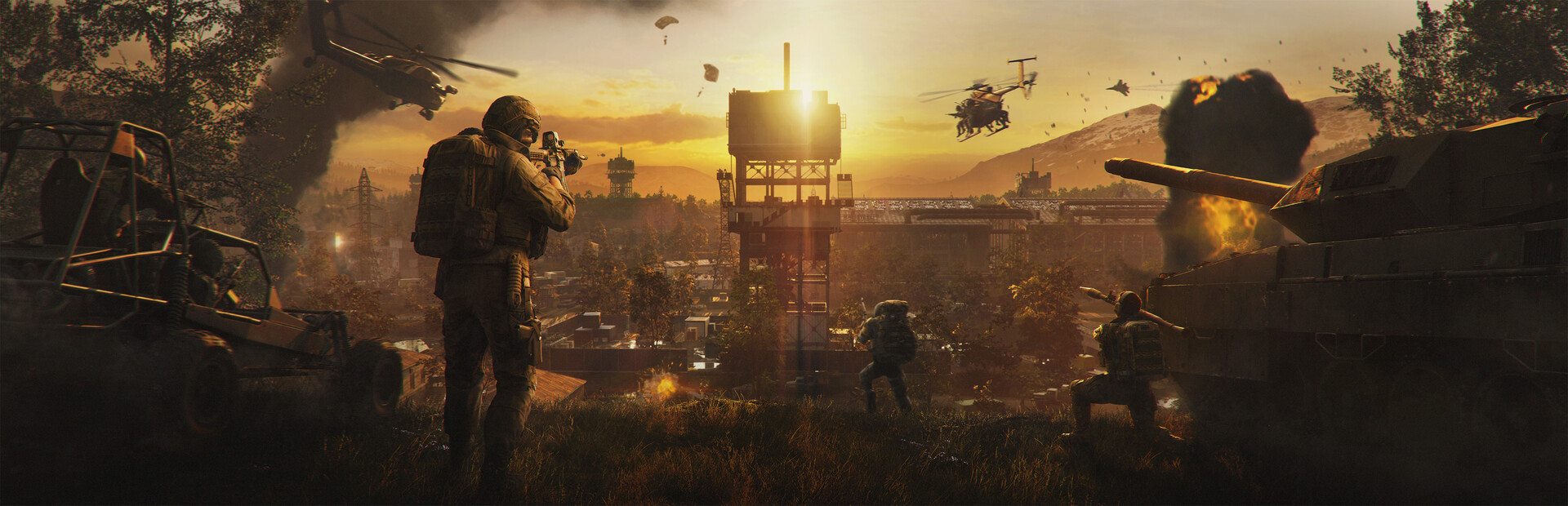

About Wardogs
Three million copies sold in just over two weeks. More than 400,000 players online at once in launch week. Number one on Steam's global top sellers two weeks running, and a Golden Joystick nomination for Best Early Access Game before it was three weeks old. That is Wardogs, BULKHEAD's 100-player shooter, and it only entered Early Access on 10 September 2026.
A hundred players, three factions, one Control Zone. The team with the most bodies in the zone scores, and the first to 100 points wins. How you get there is up to you. Level an apartment block with a rocket launcher. Drive a tank straight through town. Fly your squad in by helicopter, build a forward base on the chokepoint, snipe from a ridge in a ghillie suit, or take an artillery tank and shell whoever is holding the zone. Everyone is on proximity chat, and if that is not loud enough, you can build a loudspeaker tower and carry your voice a long way across the map.
And every life costs money. You start with $10,000 and buy a loadout each time you deploy, anything from a rifle to that helicopter. Revives, rides to the zone and time on the objective all pay, the Hot Zone roaming inside the Control Zone pays double, and whatever you bank carries into the next match. So losing a tank actually hurts. None of it is for sale, either: BULKHEAD has said in-game cash will never be sold for real money.
Community servers are where Wardogs gets personal. You build the map rotation, Infantry and Hardcore matches included, lock teams so one side can't stack up, set the level and cash a player needs to join, and ban a cheater the moment you spot one instead of filing a report and hoping. BULKHEAD has given community servers their own tab in the in-game browser, permanent server IDs players can join by, built-in RCON and scheduled restarts. Cash and XP earned on your server go to the same account as on the official servers, so players keep everything they earn on yours.
GG Host is one of BULKHEAD's approved hosting partners for Wardogs. That matters more here than for most games: there are no public server files, so a community server can only be rented from a host BULKHEAD has approved. Yours gets a full CPU die, with all its cores and threads, to itself. You run it from GG Nexus, our own control panel, where the server name, join password, player limits, teams, match settings and rotation order all sit on one Settings page. Our in-house DDoS mitigation is on by default rather than sold as an upgrade.
Powering Games at Studio Scale
We work directly with game studios to deliver reliable, production-ready server hosting.
Official Studio Partners




Why GG Host Servers for Wardogs?
If you're looking for your own Wardogs server, GG Host is an excellent choice, here's why:
A Full CPU Die for Your Server
Your Wardogs server gets a full CPU die, with all its cores and threads, and the memory next to it. Nothing else runs on that die, so no other server competes with yours for CPU time.
Every Setting on One Page
Server name, join password, minimum and maximum players, match, teams and rotation order all sit on one Settings page in GG Nexus, our own control panel. Change what you need, click Save and restart, and the server comes back with it.
Every In-Game Region
Europe (Central, East, West and South), North America (Central, North, East and West), South America, Africa (South), Asia (East, West and South East) and Oceania. Put your server where your players are.
Your Server ID, Up Front
Players can join a Wardogs community server by its server ID. Yours shows on the Overview next to the address, ready to share with your squad or pin in your Discord.
DDoS Protection Included
DDoS mitigation is on by default for every Wardogs server. It comes with the server, not as a paid extra.
Official Builds Only
Wardogs servers run the build BULKHEAD releases, and when a new one ships we move your server to it. There are no server files to edit and no mods: you change things on the Settings page and in BULKHEAD's admin tool.
Backups and Live Stats
Take a backup before a big change and restore it if you don't like the result. Player count and resource charts show how the server is doing right now.
24/7 Support
Our support team is on hand around the clock for help with setup, settings or a server that isn't behaving.
What You Can Change on a Wardogs Server
Everything sits on one Settings page in GG Nexus, our own control panel. Change what you need, click Save and restart, and the server comes back with the new settings.
- Server. The name players see in the Community tab, and a banner picture.
- Join rules. A join password, the minimum and maximum player level and player cash someone needs to get in, and reserved slots.
- Players. Minimum and maximum, up to the slots on your plan: 60, 80 or 100.
- Match. How many players a match needs to start, and the score period.
- Teams. Lock the bigger team, so nobody can join a side that's already ahead by more than your threshold.
- Map rotation. Turn it on, then play it in order or at random. The rotation itself, including Infantry and Hardcore matches, is built in BULKHEAD's admin tool, one click from your Overview.
- Remote console. Your own RCON password. Bans and live admin happen in BULKHEAD's remote console, which opens from the Server tools card on your Overview.
Your server ID sits on the Overview, next to the address. Players can join by it, so it's the one thing worth pinning in your Discord.
What Stays in BULKHEAD's Hands
Wardogs is in Early Access, and BULKHEAD keeps a close eye on how community servers run. Worth knowing before you rent one.
- No server files, no mods. There is nothing to upload. You change things on the Settings page and in BULKHEAD's admin tool.
- Updates come from BULKHEAD. When a new build ships, we move your server to it. You don't need to do anything.
- Progress on your server is real. Cash and XP earned there land on the same account as on the official servers. That's why BULKHEAD permanently bans accounts caught XP farming.
- Exploits get punished. BULKHEAD has said community server hosts caught exploiting the Season 2 faction bonus will be punished. Run it straight.
Frequently Asked Questions
How many players can join a Wardogs server?
Up to the slots on your plan: 60, 80 or 100. A hundred is the most a Wardogs match holds.
How do players find my server?
In the Community tab of the in-game server browser. They can search for it by name, or join by the server ID shown on your Overview.
Can I make my Wardogs server private?
Yes. Set a join password on the Settings page and only players who have it can get in.
Can I choose which maps are played?
Yes. You build the rotation in BULKHEAD's admin tool, which opens from the Server tools card on your Overview, and the Settings page sets whether it plays in order or at random.
Can I run Infantry matches?
Yes. Infantry and Hardcore are options on each entry in your map rotation, which you build in BULKHEAD's admin tool. It opens from the Server tools card on your Overview.
Can I keep high-level players off my server?
Yes. Join rules set a minimum and maximum player level, and a minimum and maximum player cash, so you can run a server for new players or one for veterans.
Can I stop one team stacking?
Yes. Turn on Lock the bigger team and set a threshold. Once one side is ahead by that many players, nobody else can join it.
Can I ban cheaters on my server?
Yes. Bans are made in BULKHEAD's remote console, which opens from the Server tools card on your Overview.
Can I upload files or install mods?
No. Wardogs servers have no file access, and the game has no mod support in Early Access. You change things on the Settings page and in BULKHEAD's admin tool.
When does my Wardogs server update?
When BULKHEAD releases a new build. We move your server to it, so you don't need to do anything.
Does progress on a community server count?
Yes. Cash and XP earned on your server go to the same account as on the official servers. BULKHEAD permanently bans accounts caught XP farming, so a farm server is a fast way to lose your players' accounts.
What hardware does a Wardogs server get?
A full CPU die, with all its cores and threads and the memory next to it. No other server runs on that die.
Is GG Host an approved Wardogs host?
Yes. GG Host is one of BULKHEAD's approved hosting partners for Wardogs. There are no public Wardogs server files, so a community server can only be rented from a host BULKHEAD has approved.
What our customers have to say
Don't take our word for it. Below is what our existing customers say about us:

Faceroll_Fatality
This is by far the best server host my community has EVER used and we have used all the "Major Brands" Nitrado,PingPerfect etc for our SCUM Servers. the Hardware is Legit! you are not another sucker being hosted on some kids Bitcoin mining rig in the burbs. Great Connectivity, Great systems.. but hardware aside the HUGE bonus for me is the Customer Service! With a game like SCUM where we are receiving almost Monthly minor patches and adjustments to the game things get weird... GGhosing have 100% been Active in the SCUM Community and are in Direct contact with the SCUM Developers. When things go wrong (And they always do with games in Development) These guys are ALL OVER IT. A Server host that Submits Bugs, offers solutions to issues and Genuinely care about the state of the games they are hosting. 10/10

RayKit
GGHost provides PASSION! GGHost have provided myself and and our community over at RKG a service to be proud of. The performance is by far the best I've seen out there during my gaming/streaming career. Reliability means everything to me and my players. I'm looking forward to the future with GGHost and the community have been very welcoming & the support from the owner has been phenomenal. Passion creates this type of success! LET'S GOO!!!

Roach
The other hosts are a joke compared to GGhost I use GgHost to host a busy gaming server. I recently made a switch from a competitor host. All of my problems were solved with GGhost that I had with the other server hosts. I am just absolutely amazed at the difference and would never consider leaving GGhost ever.... E-V-E-R.... you guys rock !! Thank you ;)
