


Welcome to the user guide for setting up and customizing your Aska game server. Follow these instructions to optimize your server settings and create the ideal gameplay environment for you and your players.
Basic Settings
- Display Name: The name that will appear in the session list for your server. For new saves, you can define this name. For existing saves, it will automatically use the name from the save file.
Example: Feudalheim: The Thistle and the Thorn - Seed: The unique world generation seed for your server. Leave it blank to use a random seed, or provide a specific value for a predetermined world layout.
- Server Password: Set a password to secure your server and restrict access to authorized players only. Leave it blank for an open server.
- Region: Choose the server’s geographical location to ensure the best possible connection for players. Available options include Europe, USA East, Asia, South Africa, and more. Leave it set to Default to automatically select the optimal region.
- Keep Server World Alive: Enable this option to keep the world running even when no players are connected. If disabled, the world will only load when a player joins and unload when the last player leaves.
- Autosave Style: Choose how often the server should automatically save progress. Options include:
- Every Morning
- Every 5, 10 or 15 Minutes
- Disabled
- Mode: Select Normal mode for standard gameplay, or Custom mode to run a world built from a custom game preset (see below).
Custom Worlds Now Use Presets
Since the Great Hall & Feasts update (August 31, 2026), custom world settings are no longer individual options in the panel. Instead, you build a preset in the ASKA game client — including things the old settings never offered, like per-season lengths, starting gear and win conditions — upload it to your server, and select it in the Custom Game Preset dropdown that appears when Mode is set to Custom.
The full walkthrough: ASKA - Creating and Using Custom Game Presets.
Worlds created before this update keep the settings they were created with — nothing changes for an existing world.
Final Notes
Once you have adjusted all your settings, save and restart your server to apply the changes. For further assistance or troubleshooting, visit our support page or contact our team.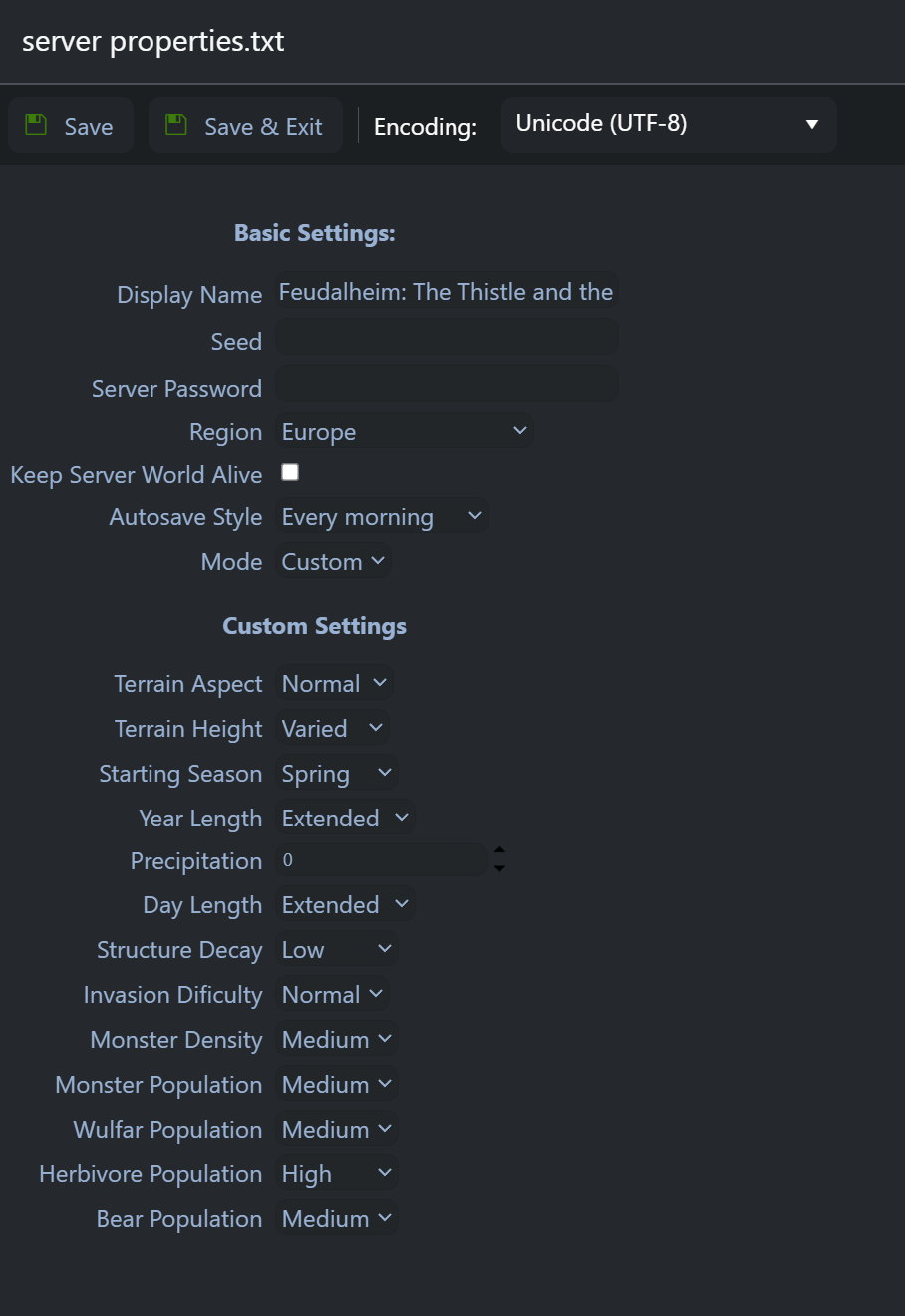
Need an ASKA server?
GG Host provides high performance, low latency servers and reliable support so your tribe can explore, build, and survive with total stability. Order your ASKA server now: https://www.gghost.games/store/aska
