


In SCUM, Elevated Users are players granted a special status that gives them access to developer-level commands and functions. Technically, this status is managed by adding or removing Steam64IDs from the elevated_users table inside the server’s SCUM.db database.
While it is possible to edit the database manually, as explained in the official Gamepires documentation about Elevated Users, this method is complex and risky. GG Host makes this process much simpler and safer by providing built-in tools in the Game Panel.
This article explains how to grant, check, and revoke Elevated User status directly through the Game Panel.
Granting Elevated User Status
-
Log in to your GG Host Game Panel.
-
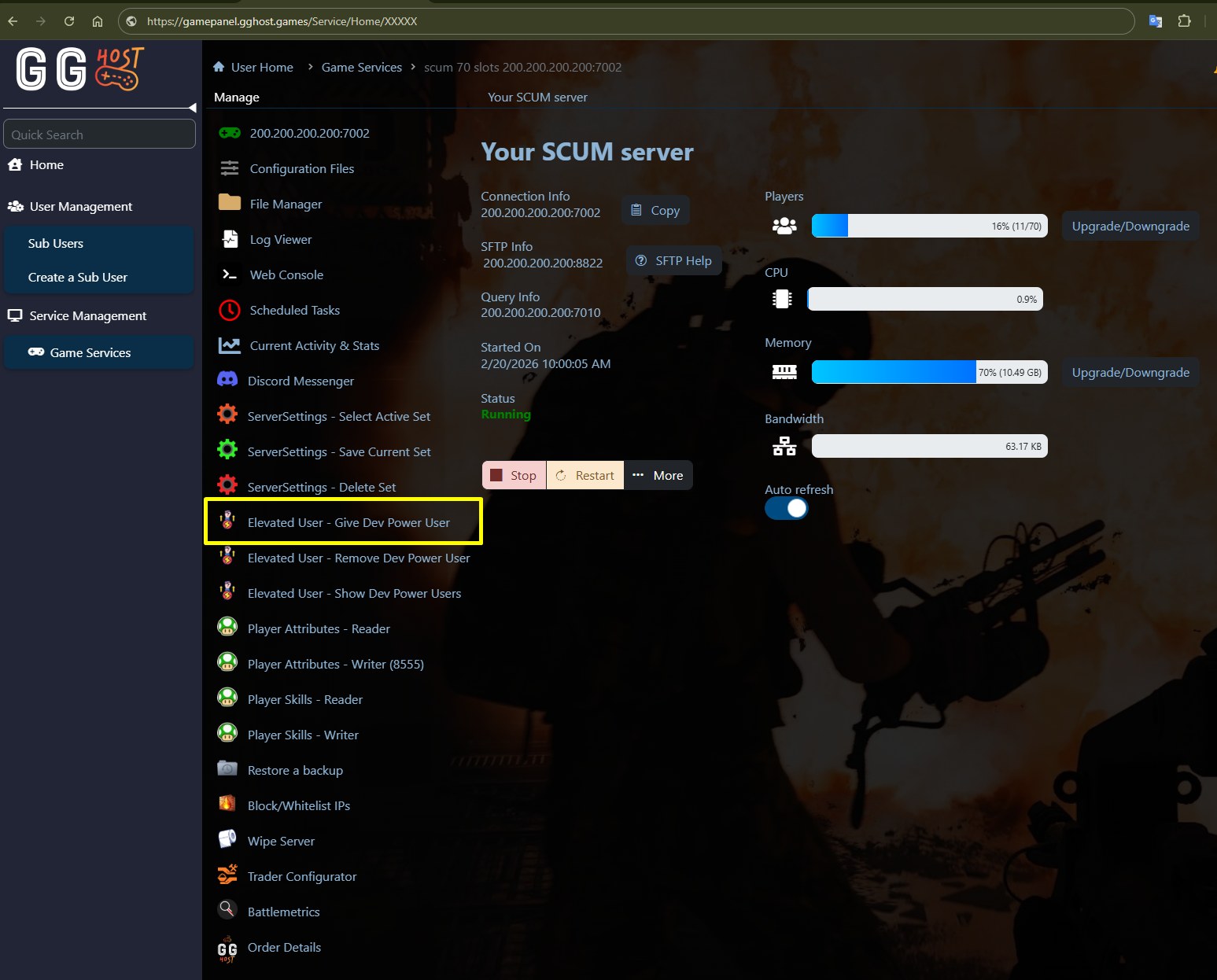
Go to the Give Dev Power User option.
-
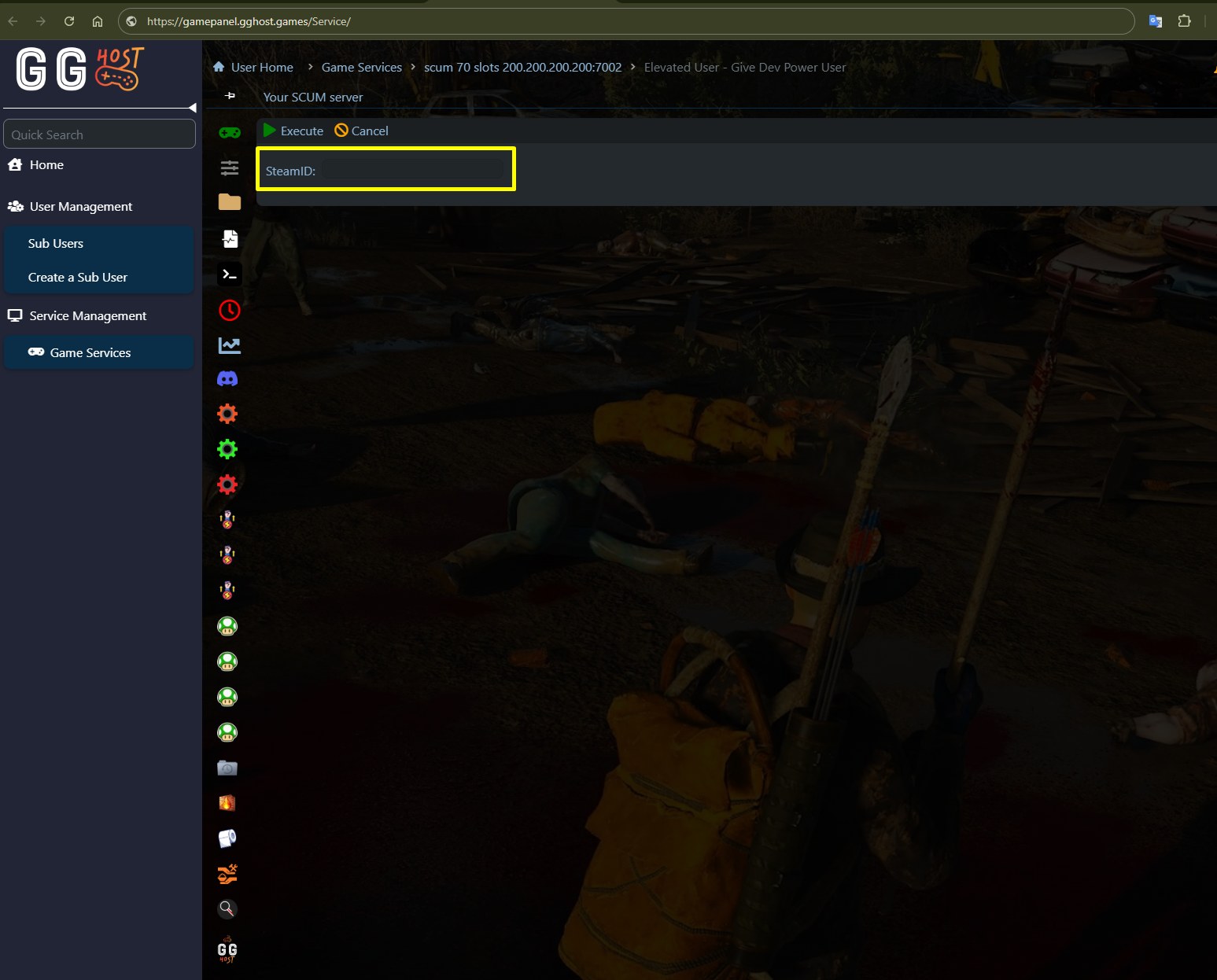
A window will open with a single field labeled SteamID.
-
Enter the Steam64ID of the player you want to grant Elevated User status and click Execute.
-
-
A warning message will appear:
⚠️ Warning: This will modify your database and may cause data loss. Back up your database first. Note: The server must be stopped before running. Continue?
-
After confirming, the system will:
-
Stop the service.
-
Insert the Steam64ID into the
elevated_userstable of the SCUM.db. -
Restart the service.
-
If successful, the screen will show a report similar to:
Stopping the service...
The service has been stopped.
Inserted Steam64ID: 7656XXXXXXXXX1494
Starting the service...
The service has been started.
The script has executed successfully. You may close this window.
Viewing Elevated Users
-
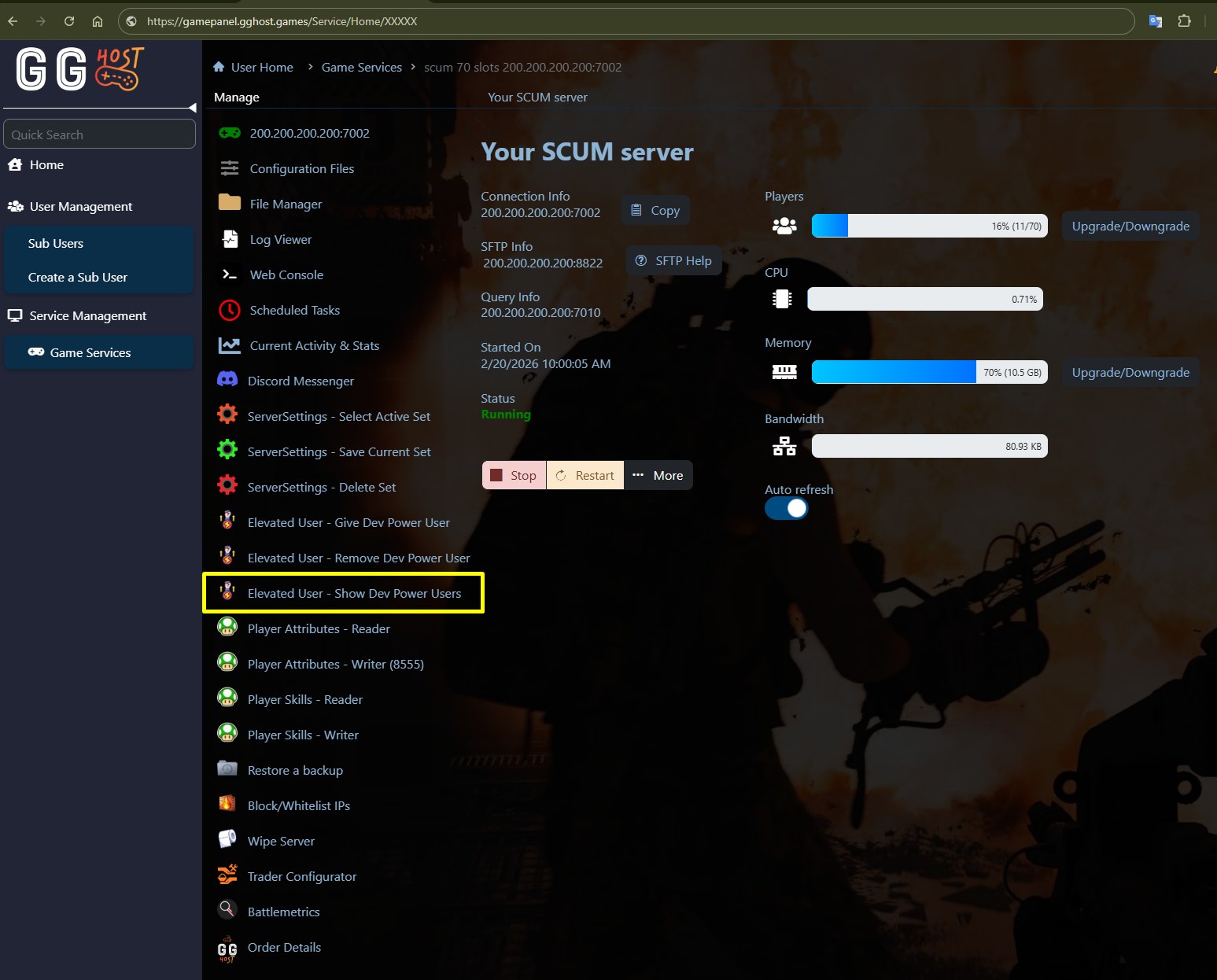
In the Game Panel, click on Show Dev Power Users.
-
A notice will appear:
ℹ️ Notice: This function reads data directly from your database file. To ensure data consistency and avoid potential locking issues, it is recommended to stop the server before running this script. Proceed when ready.
-
After confirming, the system will stop the server, read the database, and display all Steam64IDs currently listed.
-
The server will then restart automatically.
If there are no Elevated Users, only the stop/start process will be displayed. If there are Elevated Users, you will see something like:
Stopping the service...
The service has been stopped.
7656XXXXXXXXX1494
Starting the service...
The service has been started.
The script has executed successfully. You may close this window.
Revoking Elevated User Status
-
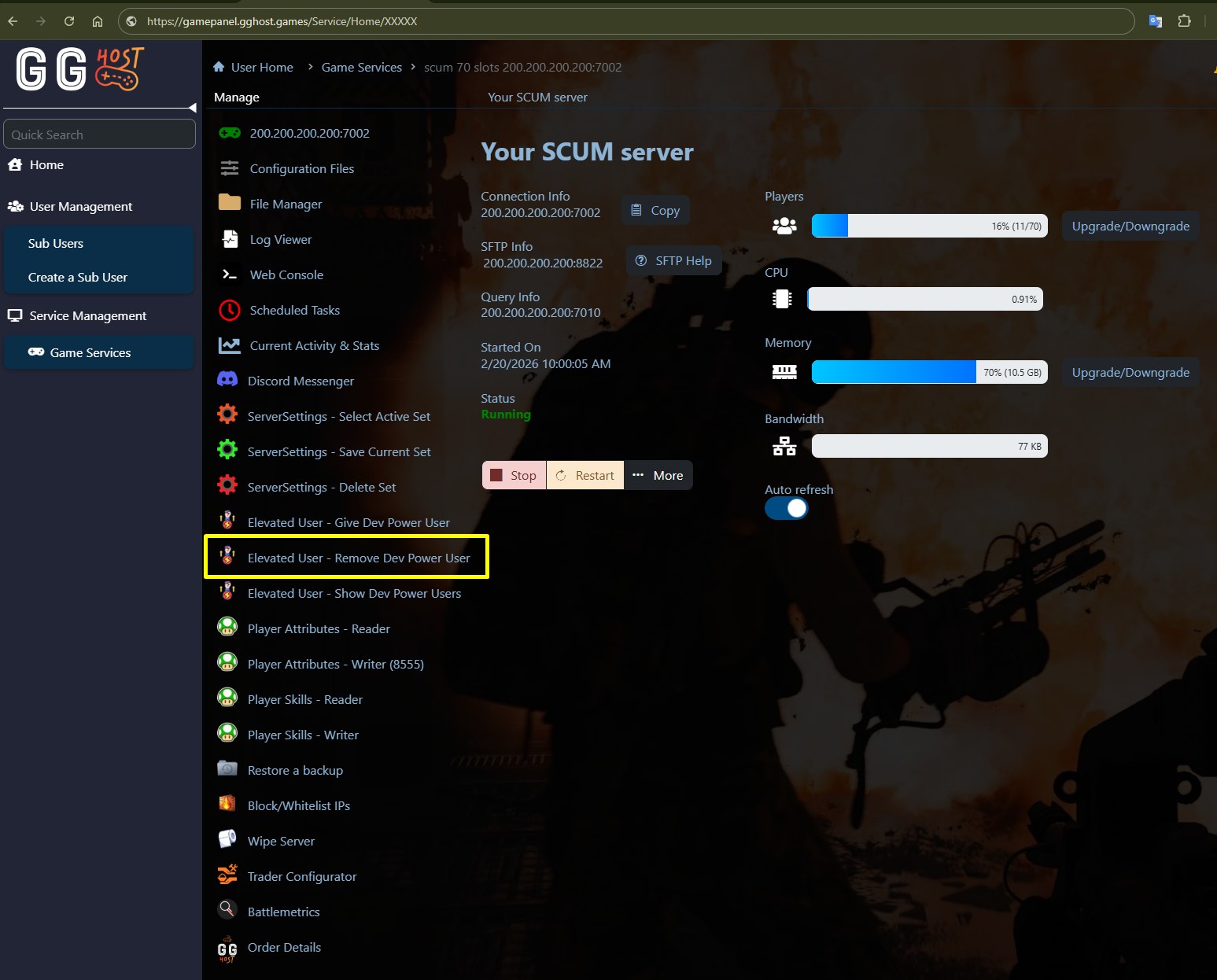
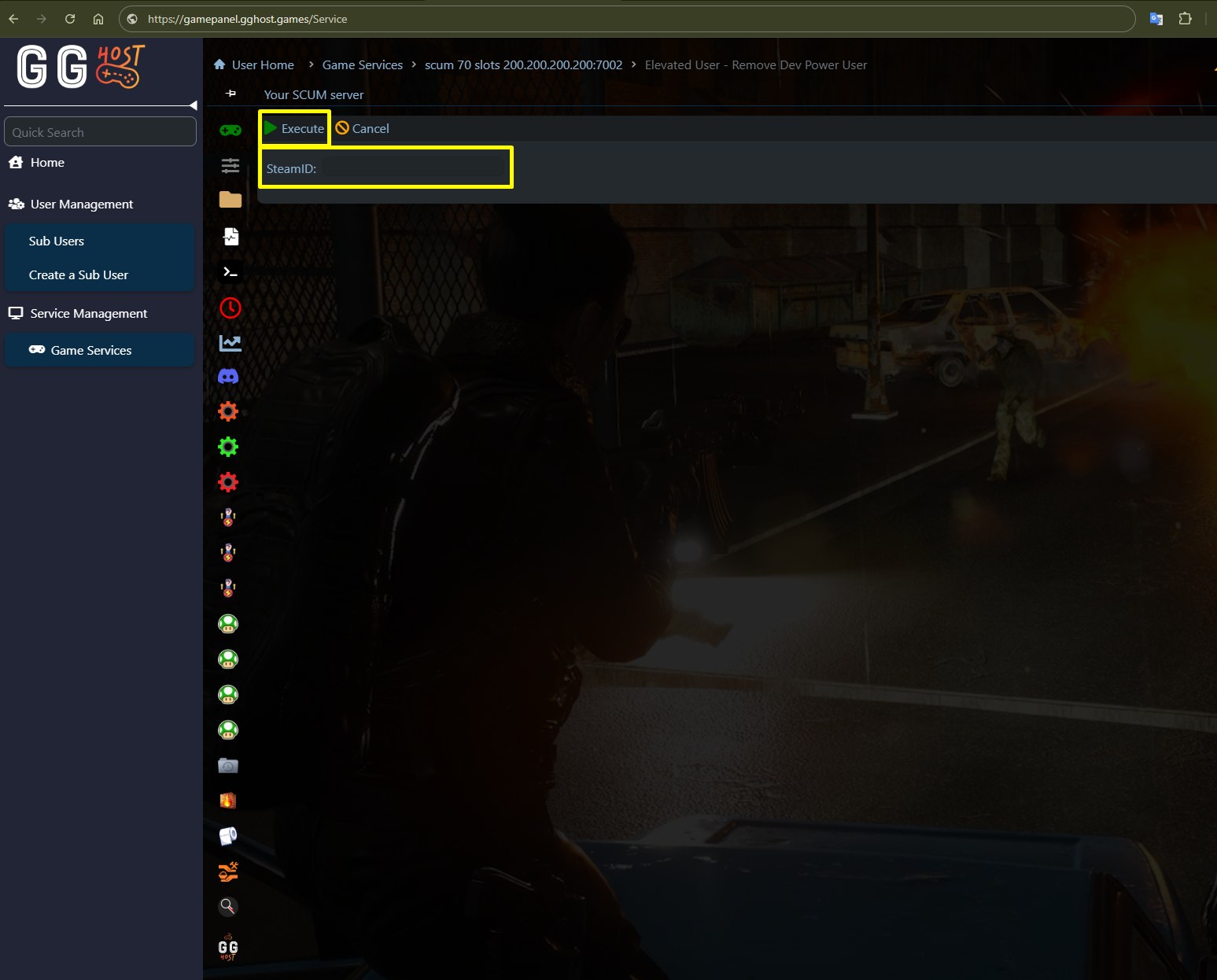
In the Game Panel, select Remove Dev Power User.
-
A window will open with a single field labeled SteamID.
-
Enter the Steam64ID of the player you want to remove, and click Execute.
-
-
A warning message will appear:
⚠️ Warning: This will modify your database and may cause data loss. Back up your database first. Note: The server must be stopped before running. Continue?
-
After confirming, the system will:
-
Stop the service.
-
Remove the Steam64ID from the
elevated_userstable of the SCUM.db. -
Restart the service.
-
If successful, the screen will show a report similar to:
Stopping the service...
The service has been stopped.
Removed Steam64ID: 7656XXXXXXXXX1494 from elevated_users.
Starting the service...
The service has been started.
The script has executed successfully. You may close this window.
Notes
-
Elevated User status provides powerful privileges, so only trusted players should be granted this access.
-
In practice, granting or revoking this status means adding or removing Steam64IDs in the
elevated_userstable of the SCUM.db database. -
Always back up your database before making changes. You can do this easily by restarting your server, since our Game Panel automatically creates a backup copy each time the server starts.
That’s it! With these tools in the GG Host Game Panel, you can easily manage Elevated User status on your SCUM server without having to edit the database manually.
If you’d like to learn about the available commands and get more details on Elevated Users, check out Gamepires’ official documentation at this link.
Need a SCUM server?
GG Host is the official SCUM hosting provider, offering high-performance, low-latency servers and reliable support so your community can explore, survive, and dominate the island. Order your SCUM server now: https://www.gghost.games/store/scum-server