


Managing Player Attributes in SCUM: Reader and Writer
Use these two tools to inspect or update a player’s core attributes in your SCUM server. Both scripts work the same way from the panel: enter the player’s SteamID and click Execute.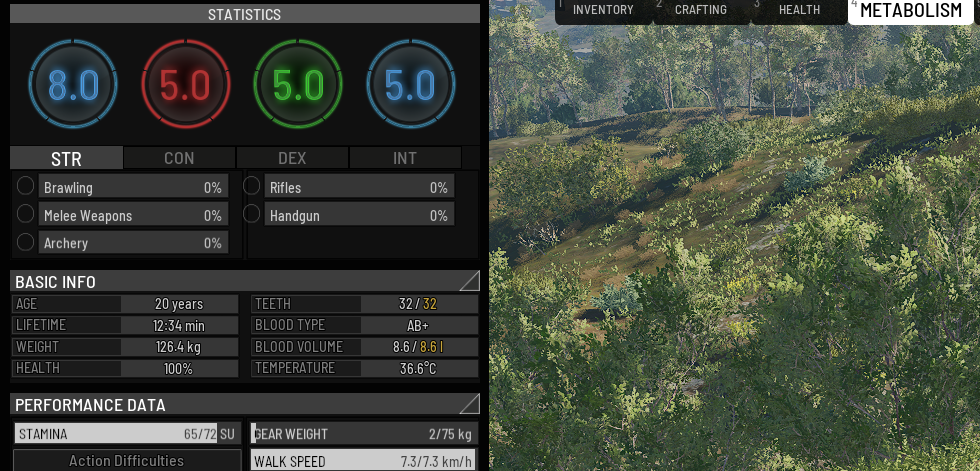
N.B. This feature is experimental. Use at your own risk!
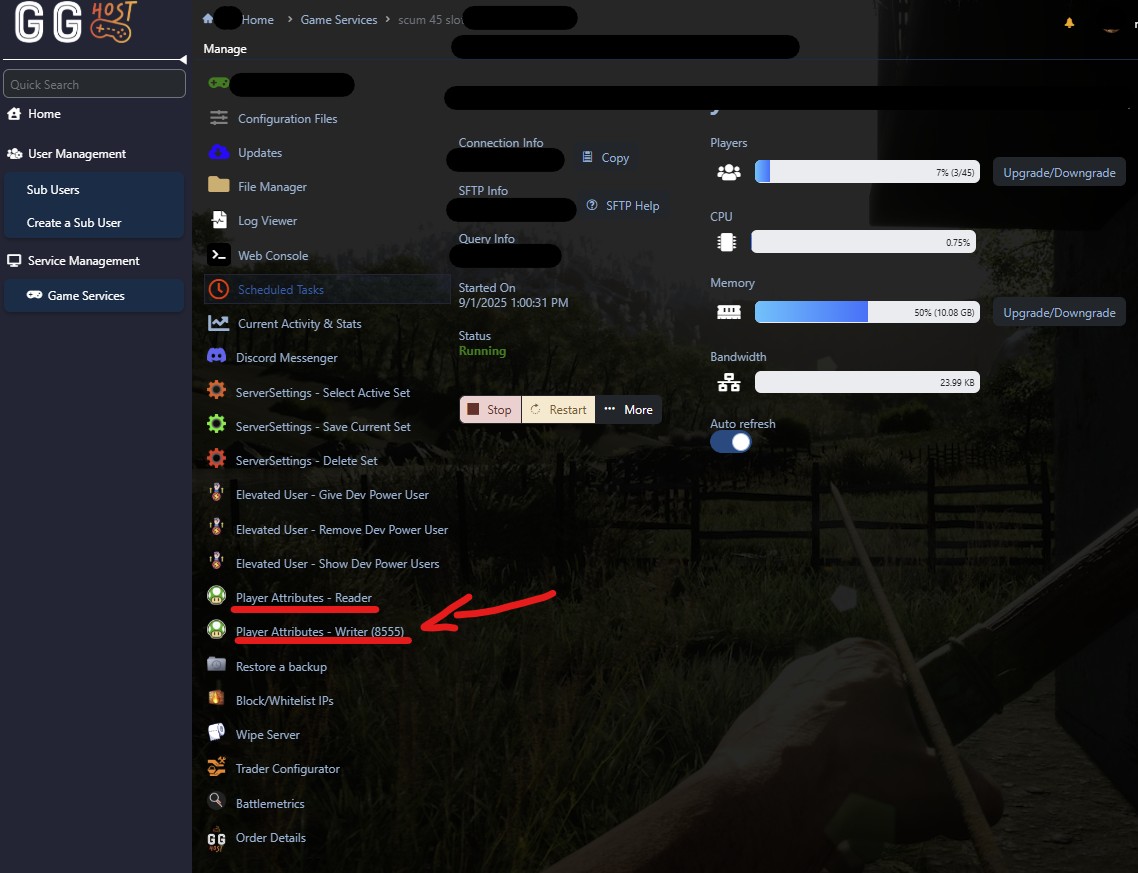
Player Attributes - Reader
Purpose: Read-only. Shows the player’s current base attributes without changing anything.
- Reports: Strength, Constitution, Dexterity, Intelligence
- Input required: SteamID
- Output format: one-line summary in the console
Steps
- Open Player Attributes - Reader in the panel.
- Paste the player’s SteamID into the field.
- Click Execute.
- Read the result in the console.
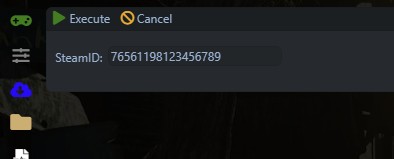
Example console output
Final stats -> BaseStrength=3.8 | BaseConstitution=3.3 | BaseDexterity=2.2 | BaseIntelligence=2.7
Player Attributes - Writer
Purpose: Updates a player’s base attributes to the configured targets.
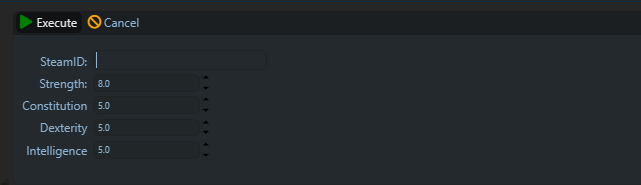
- Edits: Strength, Constitution, Dexterity, Intelligence
- Defaults: Strength 8.0, Constitution 5.0, Dexterity 5.0, Intelligence 5.0
- Input required: SteamID
- 5 minutes before running this script, tell the user to log out of the server and stay logged out.
- After 5 minutes, open Player Attributes - Writer in the panel.
- Paste the player’s SteamID into the field.
- Click Execute.
- Wait for the console to confirm the update and checkpoint.
Operational note
- The player should have been offline for AT LEAST 5 minutes before you run the writer.
- Always keep a database backup before making changes.
Troubleshooting
“Could not resolve prisoner id”
- The SteamID does not exist in this save. Verify the number or have the player join the server once to create a profile.
“No stats patched in blob”
- The character data did not match an expected layout. Run the Reader to confirm current values. If the player is online, ask them to log out and retry after a few minutes.
Changes do not show in game
- Confirm the player was offline during the update and remained offline for a few minutes. Use the Reader to verify the stored values. Have the player reconnect.
How to find a SteamID
- Ask the player for their 17 digit SteamID64.
- Or use any trusted SteamID lookup site by pasting the player’s profile URL.
Need a SCUM server?
GG Host is the official SCUM hosting provider, offering high performance, low latency servers and reliable support so your community can explore, survive, and dominate the island. Order your SCUM server now: https://www.gghost.games/store/scum-server