


SCUM features five main player skill levels: No Skill, Basic, Medium, Advanced and Above Advanced. Skill level affects efficiency in tasks like crafting, combat, and survival, requiring up to 10,000,000 XP for the highest level.
Use these two tools to inspect or update a player’s skills in your SCUM server.
How to View a Player’s Skills in Your SCUM Server
To view the skills of a specific player in your SCUM server, you can use the "Player Skill - Reader" feature in Game Panel.
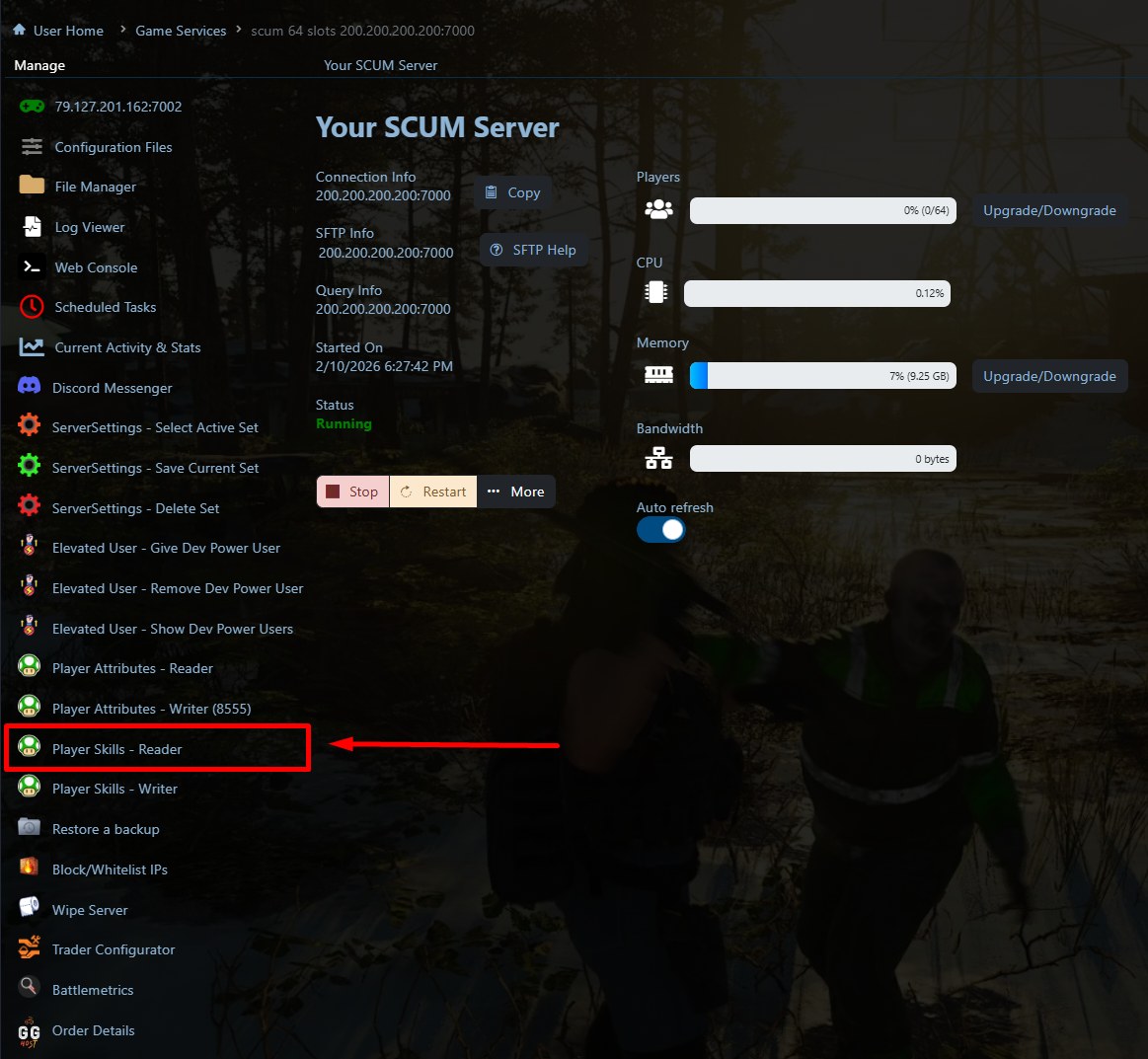
Use the skill reader, enter the player’s Steam ID, and click Execute.
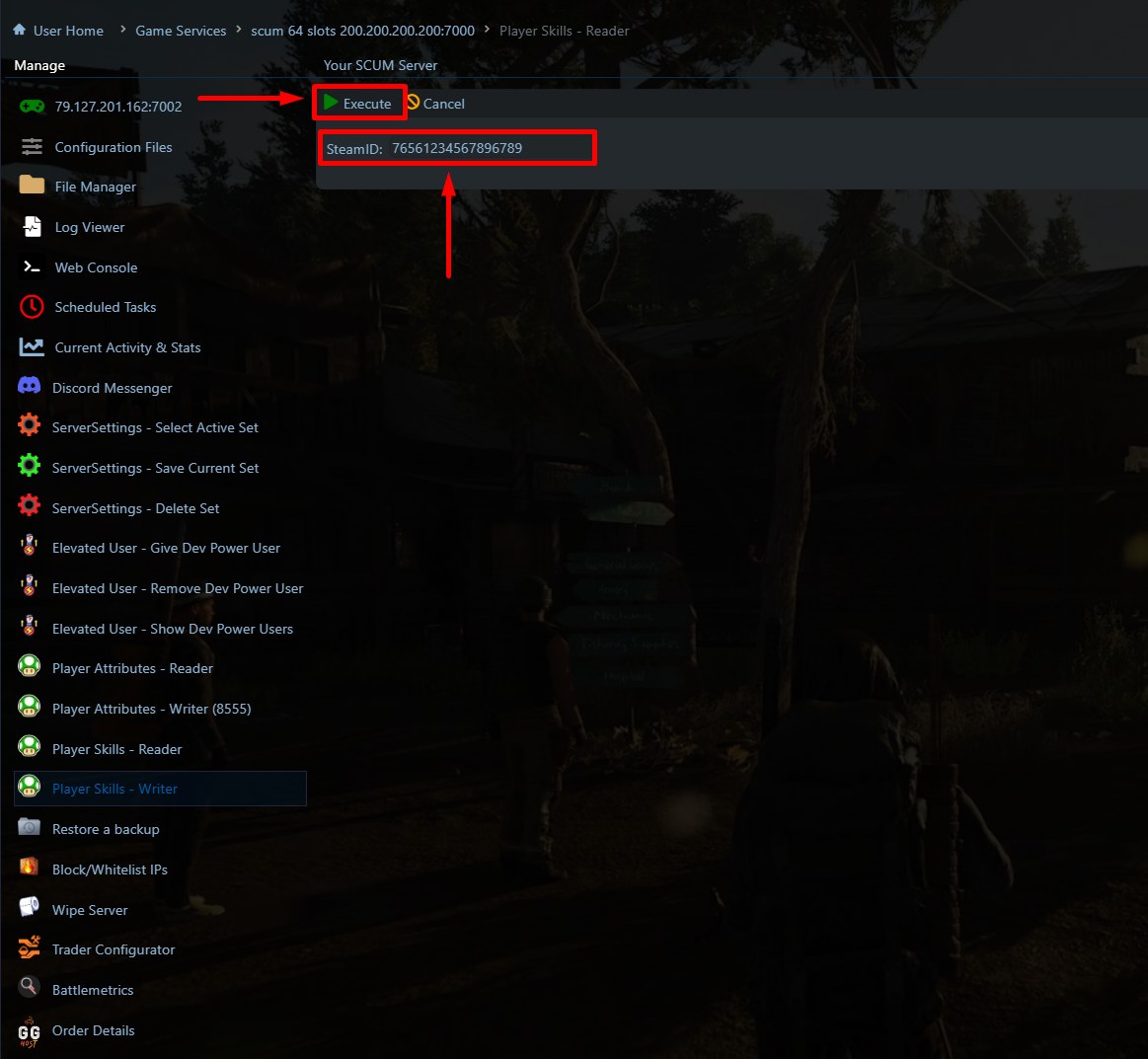
Your SCUM server does NOT need to be stopped and the player must have been disconnected from the server for at least 5 minutes BEFORE running this script.
The result should be something like this:
Player Skills (Prisoner 1)
BoxingSkill: Basic
AwarenessSkill: Basic
RiflesSkill: None
SnipingSkill: None
CamouflageSkill: Basic
SurvivalSkill: None
MeleeWeaponsSkill: Basic
HandgunSkill: None
RunningSkill: Basic
EnduranceSkill: Medium
TacticsSkill: Medium
CookingSkill: Basic
ThieverySkill: Basic
ArcherySkill: Basic
DrivingSkill: Basic
EngineeringSkill: None
DemolitionSkill: None
MedicalSkill: Basic
MotorcycleSkill: Basic
StealthSkill: None
AviationSkill: Basic
FarmingSkill: None
ResistanceSkill: None
How to Change a Player’s Skills in Your SCUM Server
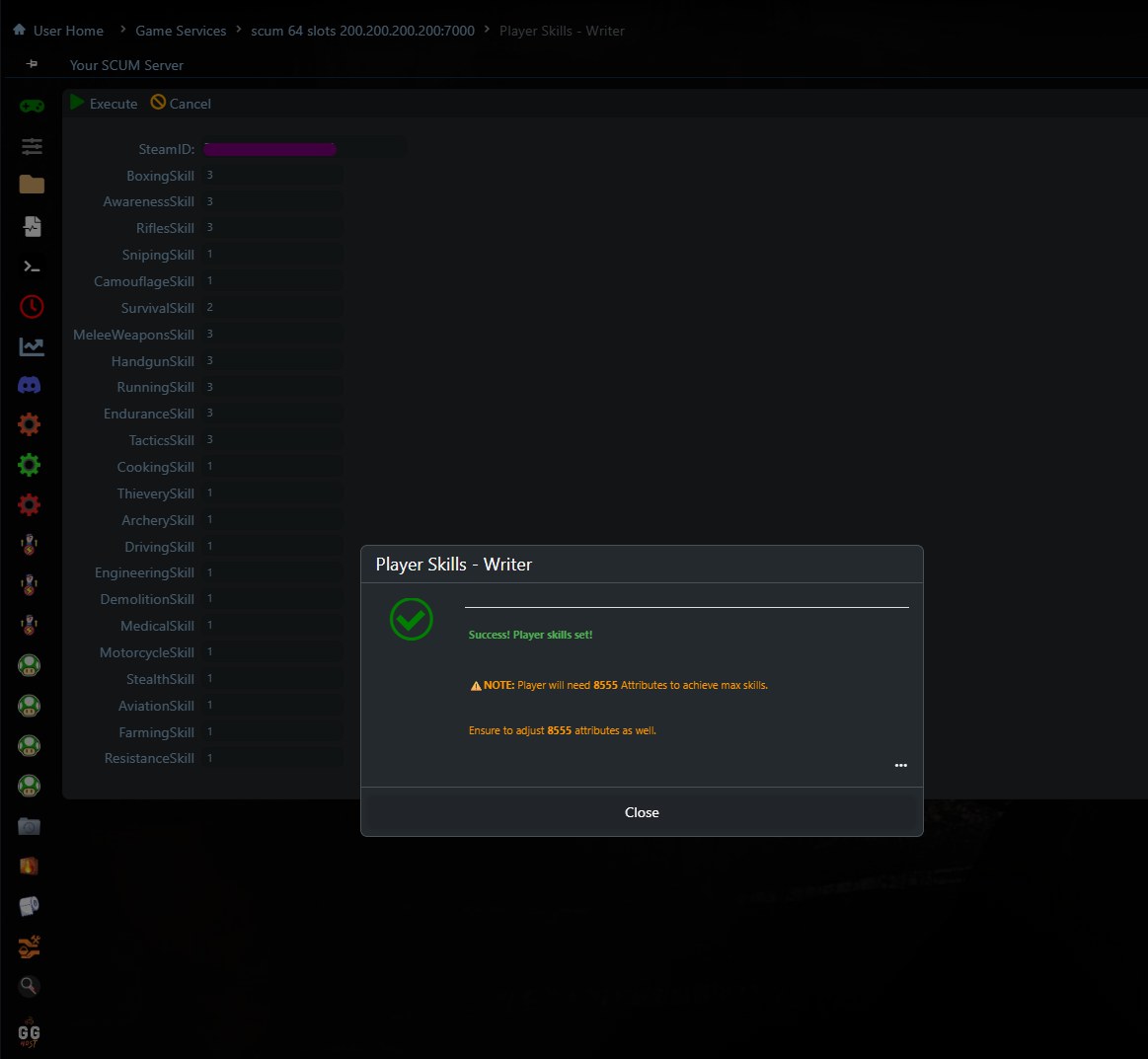
To change the skills of a specific player in your SCUM server, you can use the "Player Skill - Writer" feature in Game Panel.
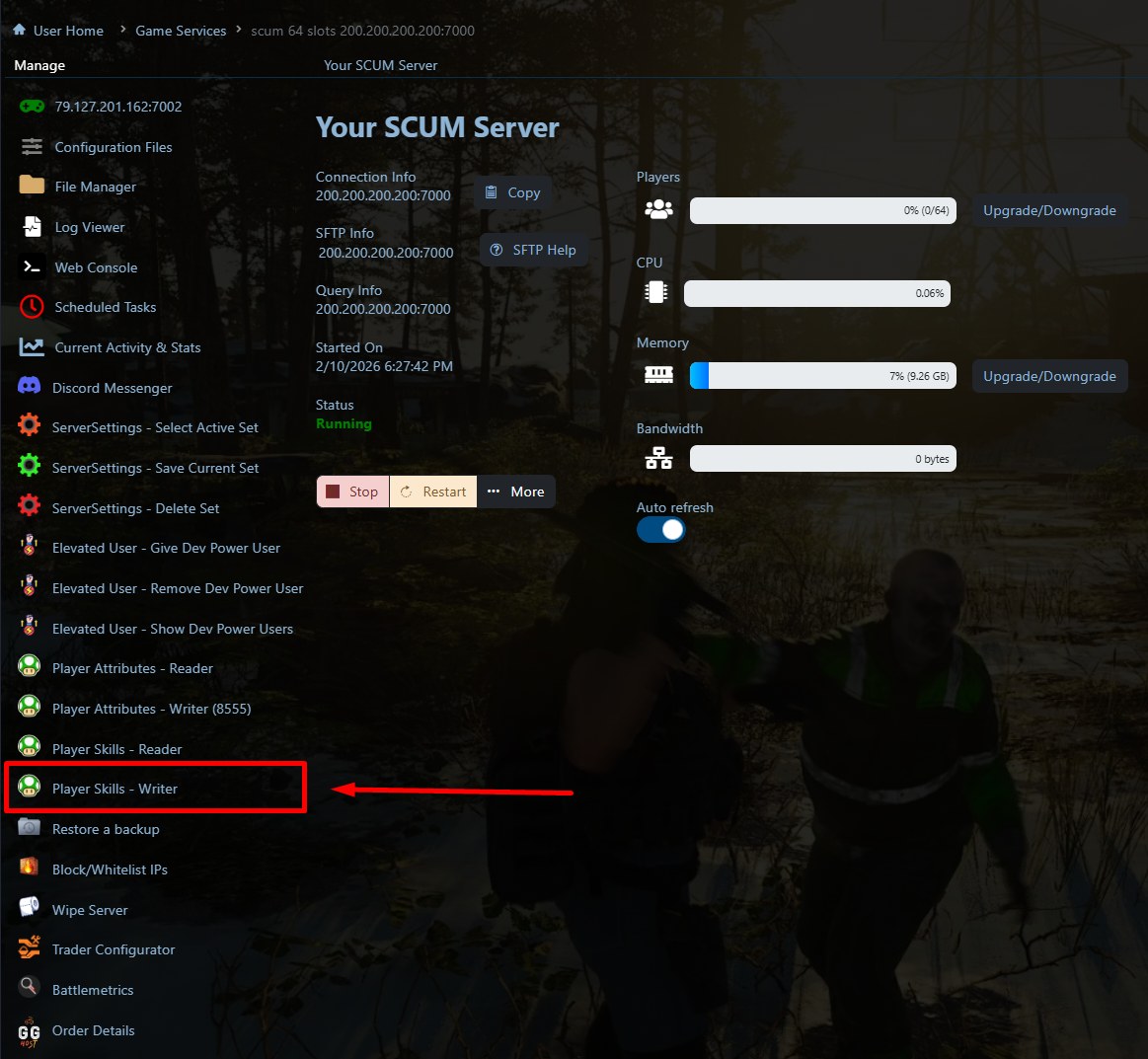
To change a player’s skills, enter the player’s Steam ID, set the value for each skill, using 0 for None, 1 for Basic, 2 for Medium, 3 for Advanced and 4 for Above Advanced, then click Execute.
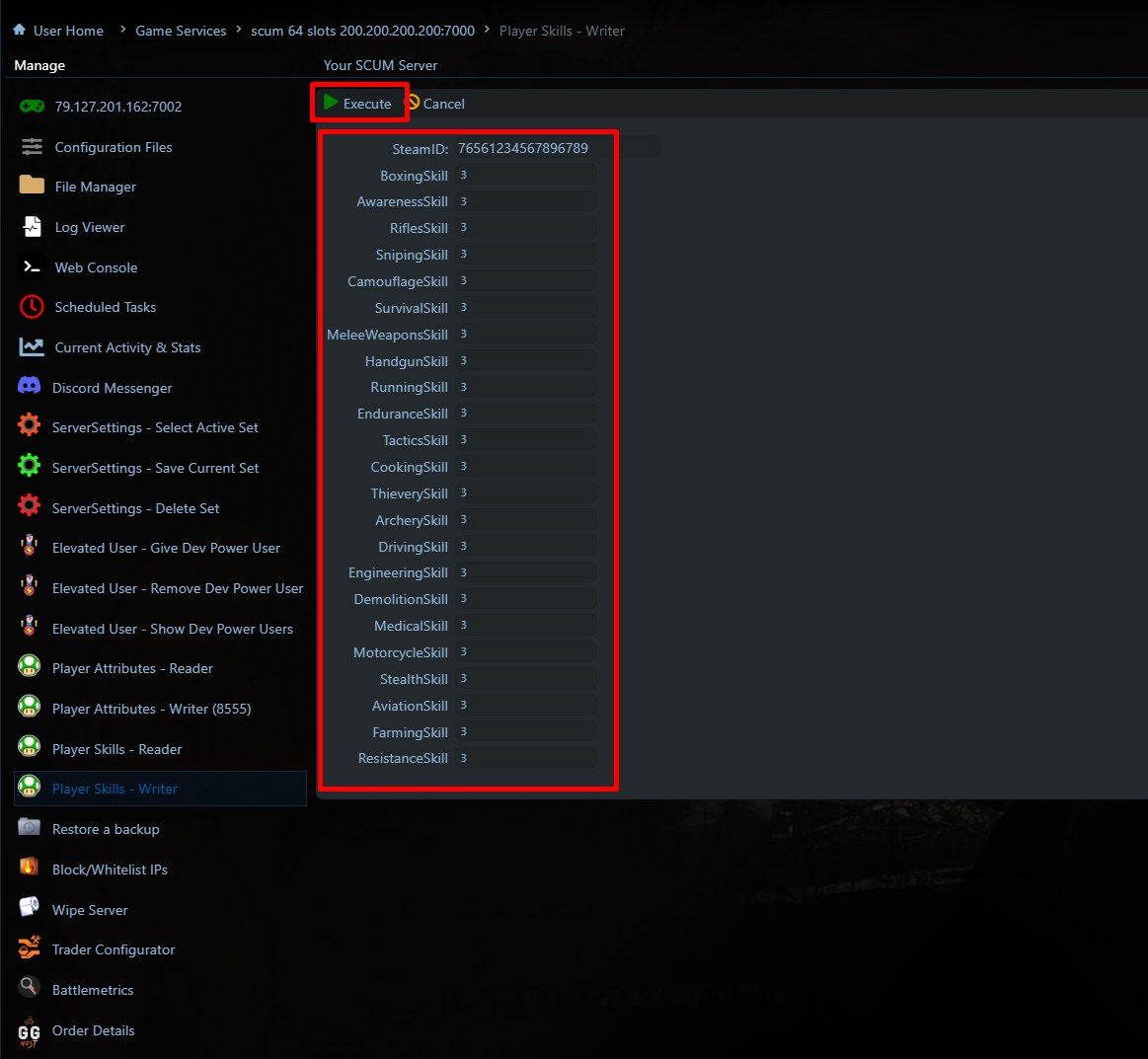
By default, the panel fills everything in as 4, Above Advanced. If you’d like different values, change them as needed and then click Execute.
Your SCUM server does NOT need to be stopped, and the player must have been disconnected from the server for at least 5 minutes BEFORE running this script.
Depending on the skill level you set, the player may need a minimum value in their attributes (Str, Con, Dex, Int) for that skill level to apply. If needed, you can use our feature to adjust the player attributes as well.
The result should be something like this:
N.B. This feature is experimental. Use at your own risk!
How to find a SteamID
- Ask the player for their 17-digit SteamID64.
- Or use any trusted SteamID lookup site by pasting the player’s profile URL.
Need a SCUM server?
GG Host is the official SCUM hosting provider, offering high-performance, low-latency servers and reliable support so your community can explore, survive, and dominate the island. Order your SCUM server now: https://www.gghost.games/store/scum-server
