


Deadside's Mod Kit update (August 19, 2026) brings mod support to console servers. On GG Host, mod management is built into your control panel. This guide covers installing your first mod. See also: managing load order and troubleshooting.
Before you start
Mod changes only apply after a server restart. Plan a moment when a restart won't annoy your players. Your players don't need to do anything: the game downloads the server's mods automatically when they join.
Step 1: Open the mod manager
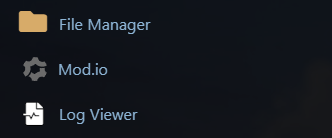
Log in to your GG Host panel and open your Deadside console service. In the service menu, click Mod.io.
Step 2: Find a mod
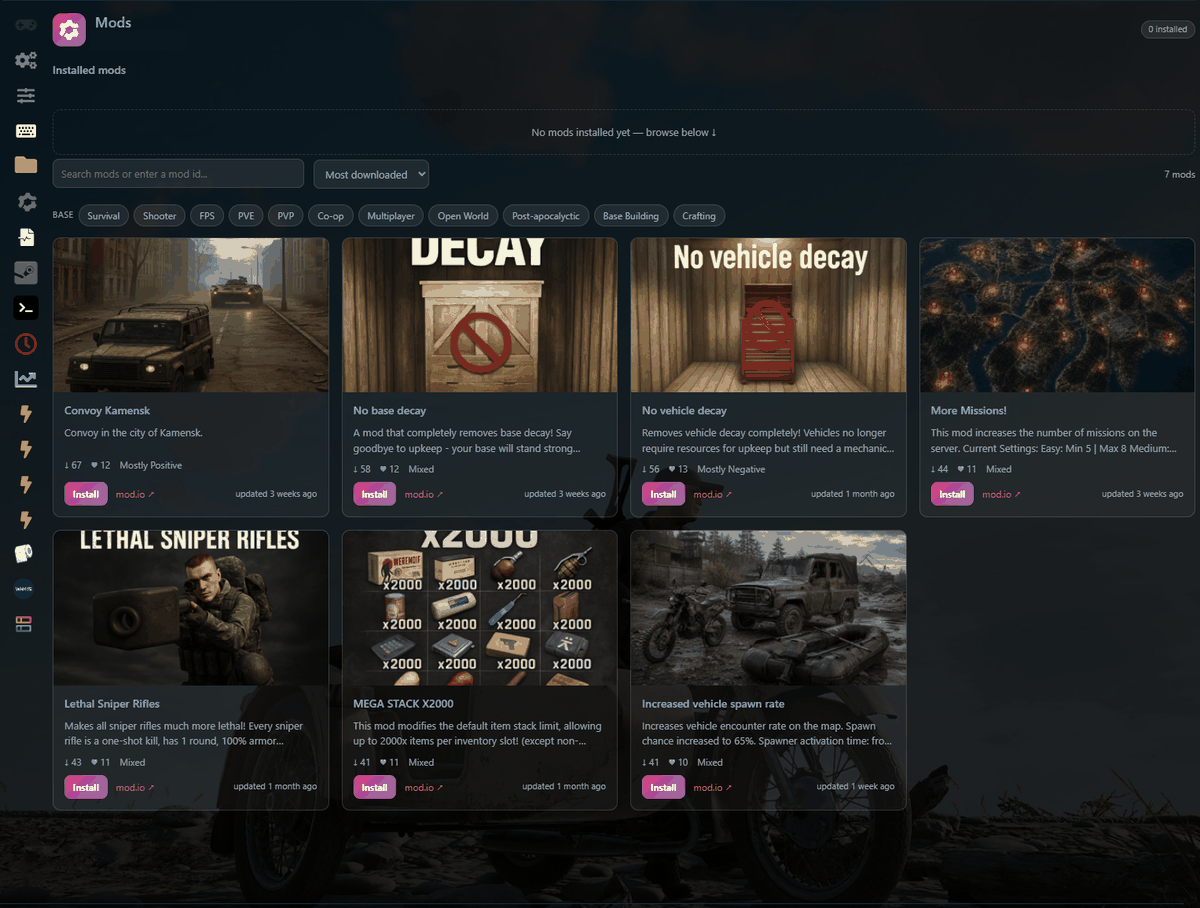
The Mods page opens with your installed mods at the top (empty on a fresh server) and the game's mod.io catalog below. Search by name or mod id, sort (Most downloaded, Popular today, Highest rated and so on), or narrow the list with the tag filters. Each card shows the mod's download count, subscriber count, rating and when it was last updated. The small mod.io link on a card opens the mod's own page if you want the full description.
Step 3: Install
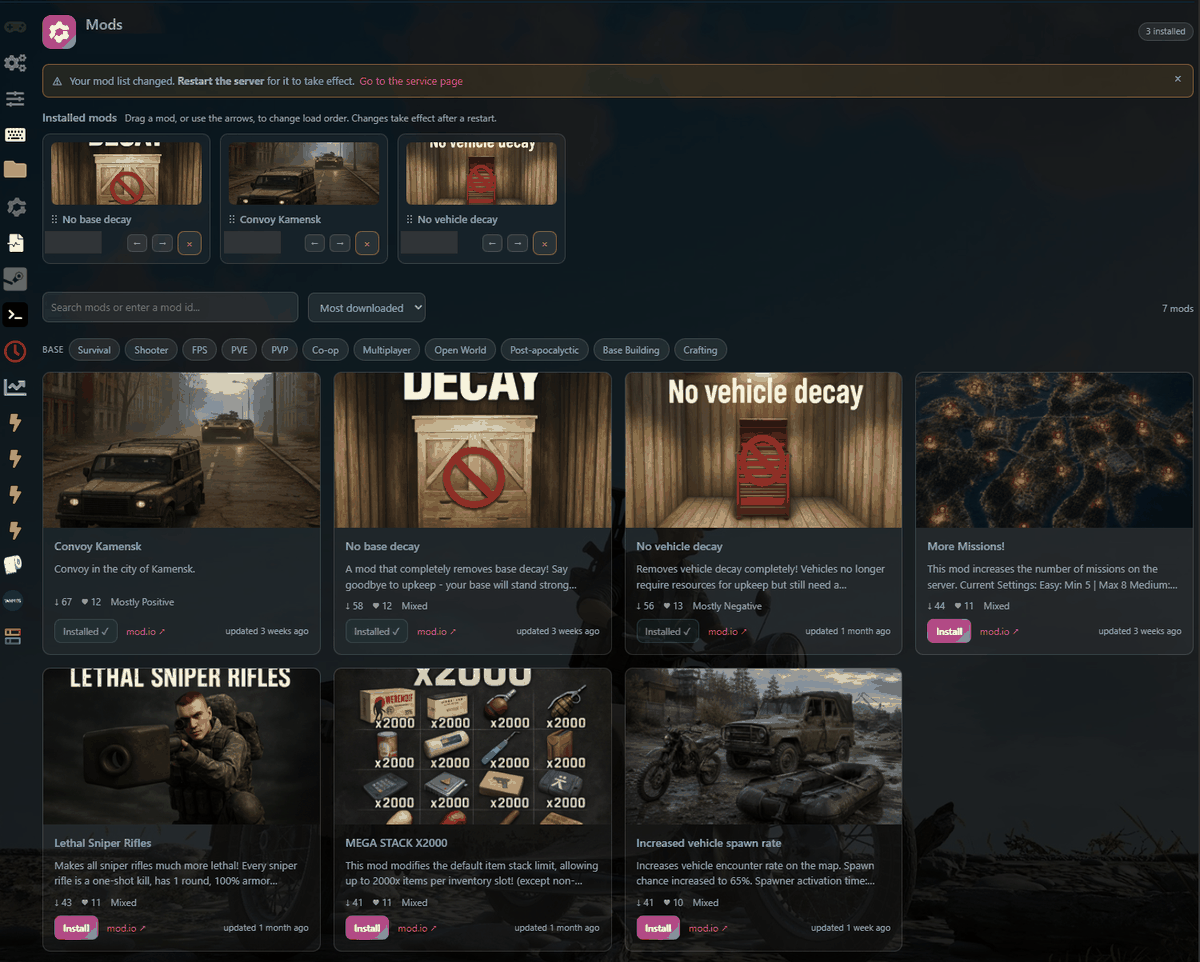
Click Install on the mod you want. The button changes to Installed ✓ and the mod appears in the Installed mods strip at the top of the page. An amber banner will remind you: "Your mod list changed. Restart the server for it to take effect."
Step 4: Restart the server
Go back to your service page and restart the server as usual. This is the step people forget: mods do nothing until the server restarts. After the restart, the server loads your mod list in the order shown on the Mods page.
Removing a mod
Click the × on the mod's card in the Installed mods strip, confirm, and restart. Removal always works, even if mod.io itself is unreachable at the time.
Good to know
Your mod selections are stored in the GG Host panel, not in the server files, so they survive game updates and server reinstalls. Mods come from the game's official mod.io catalog; what a mod does once loaded is up to its author, so ratings and recent-update dates are worth a glance before installing.
GG Host is an official Deadside hosting partner, offering high-performance, low-latency servers and reliable support for your community. Order your Deadside server now: https://www.gghost.games/store/deadside
