


This article will show the step by step process for swapping the server version from the latest stable release to the Public Test Server version.
Please note that when swapping between versions, all game files (including save data) are deleted. Only swap versions if you are willing to start fresh.
Once you have a Deadside PC server with GG Host, you are ready to start:
Step 1:
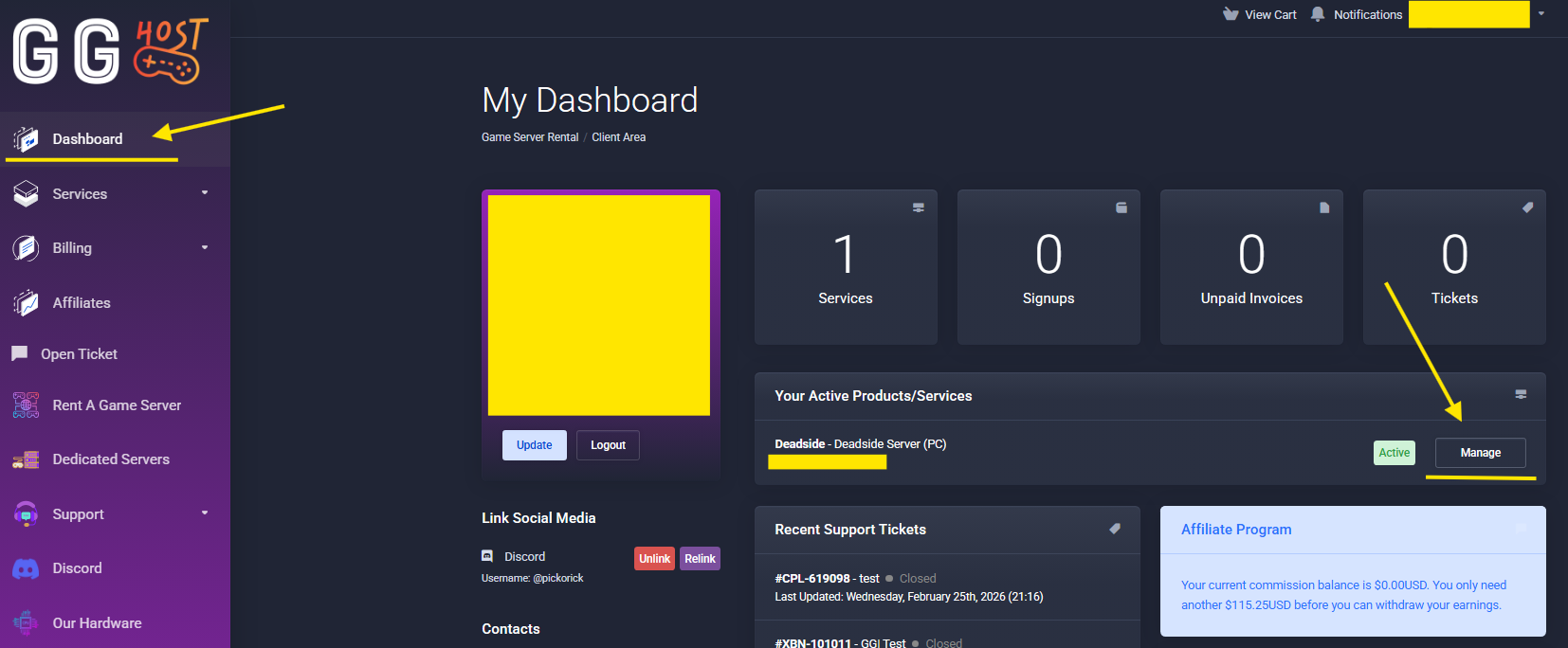
Log into your GG Host account at www.gghost.games and click the link Dashboard on the left menu. You will see a list with your active services, click the Manage button for the Deadside PC server you want to swap to PTS:
Step 2:
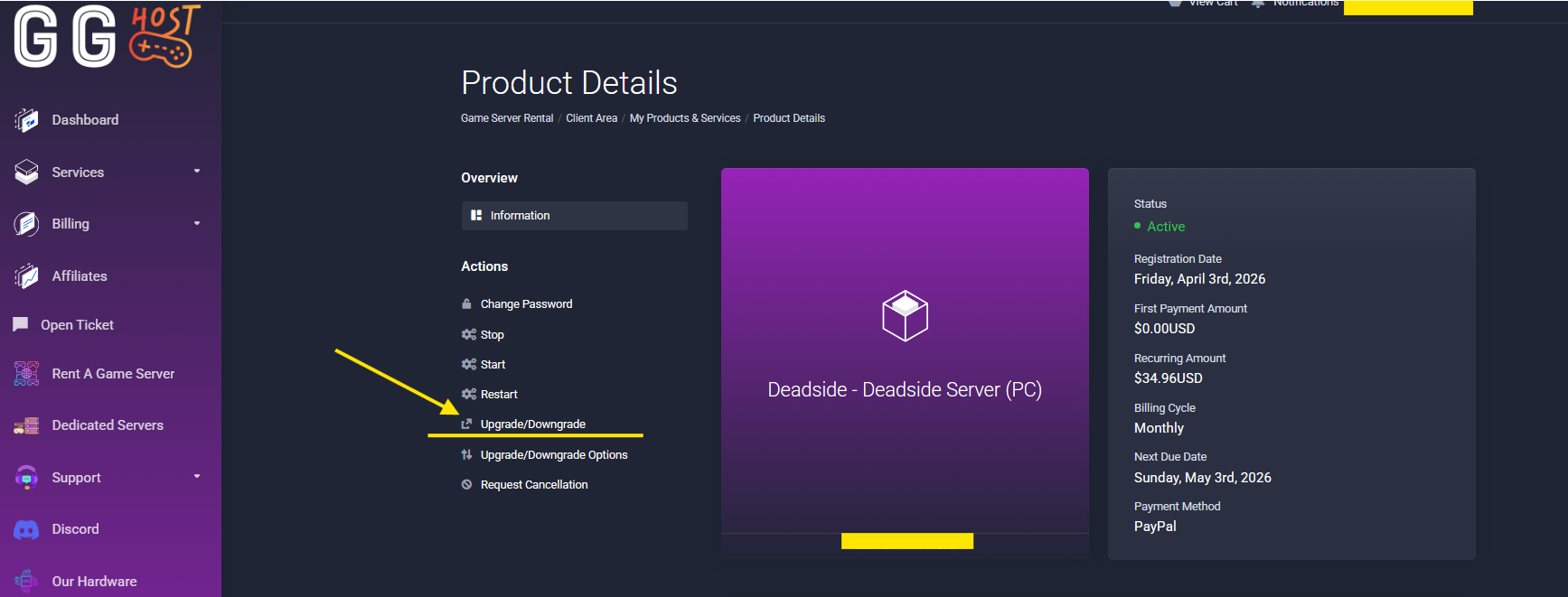
In the product details of the service you selected, click the link Upgrade/Downgrade
Step 3:
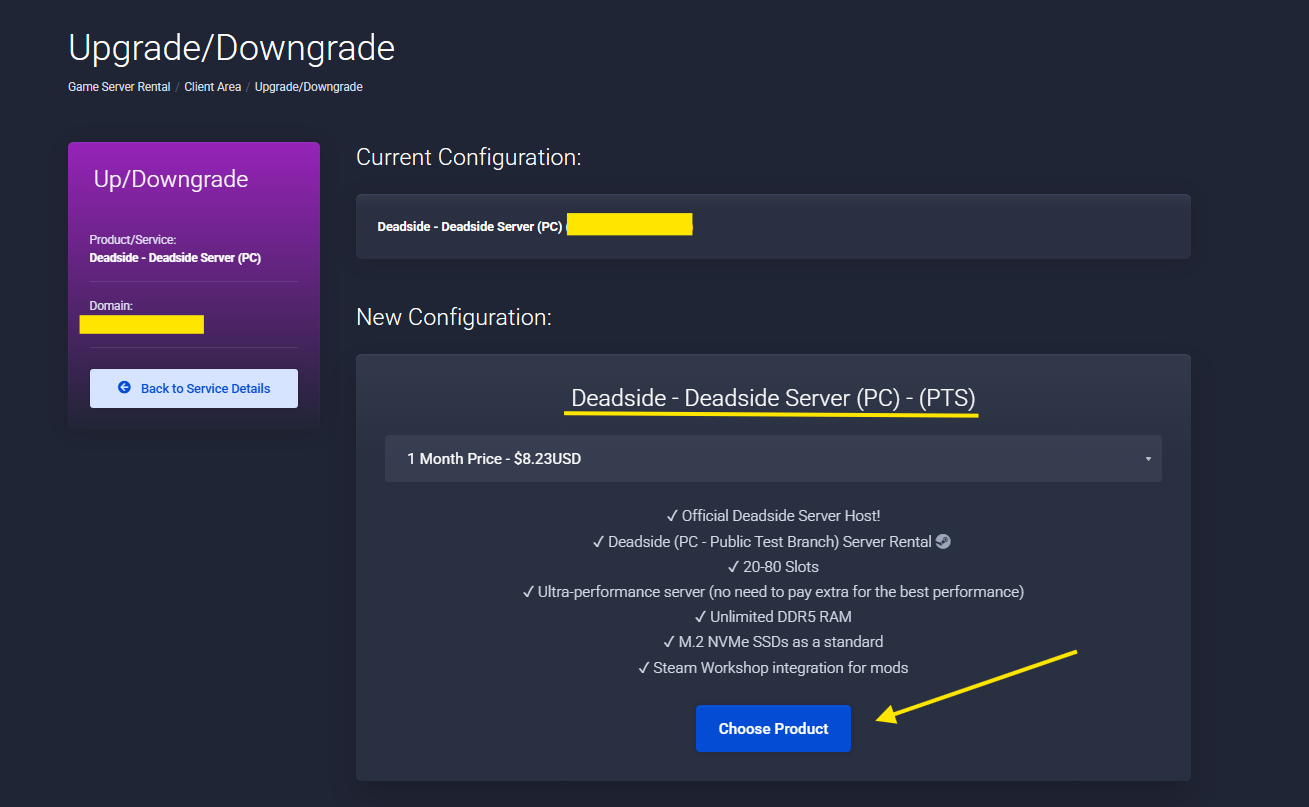
Click OK to dismiss the pop up, and now click Chose Product (Do not worry about the price shown, the swap will not be charged)
Step 4:
Click the Checkout button and wait for the operation to confirm.
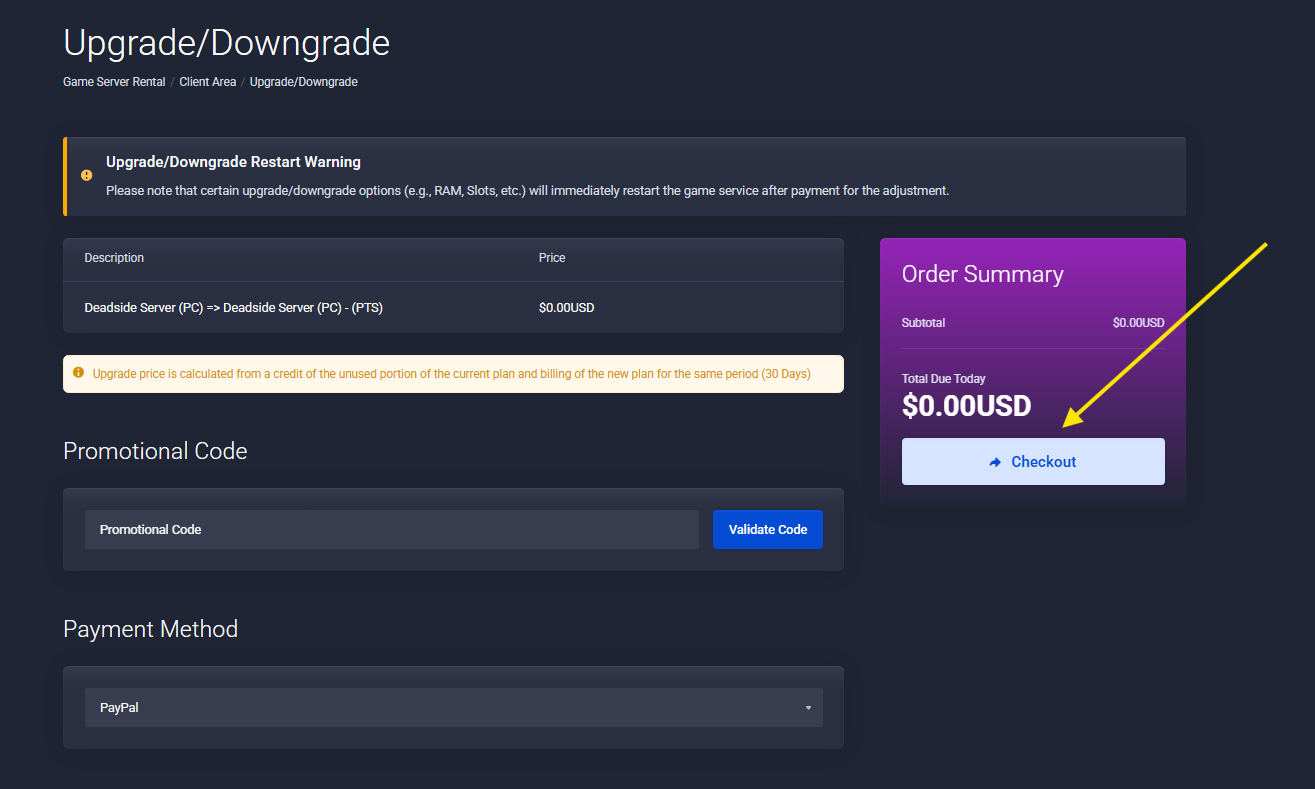
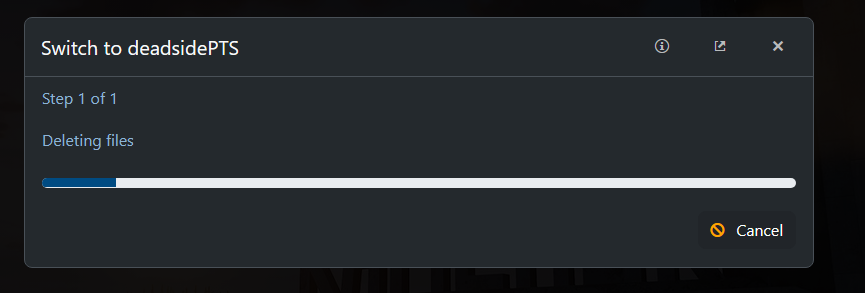
Once the checkout is done, the Game Panel will delete all existing files and install the PTS server version:
GG Host is an official Deadside hosting partner, offering high-performance, low-latency servers and reliable support for your community. Order your Deadside server now: https://www.gghost.games/store/deadside